

In digital marketing, the first impression is the most underestimated but fastest decision-making factor for your website. Research shows that it takes only 50 milliseconds — one-tenth of a half-second — for a user to form an opinion about a website. 5 seconds is an eternity in this process: more than enough time to decide whether to stay or not. When a visitor enters your site, they don’t perform a conscious analysis; the brain makes an instantaneous and emotional trust decision.
⏱️ So, does your site deliver the right message in those 5 seconds? Speed, design language, trust signals, and message clarity — these four elements shape the visitor’s decision of “I can trust this site” or “I’ll go back”.
A bad first impression sends potential customers to your competitor, never to return, regardless of how good a product you offer on your website.In this guide, we will address four critical dimensions that create a first impression on your website — Speed Effect, Design Language, Trust Signals, and Message Clarity — with concrete examples and current research. In each section, we will look not only at the problem but also at the solution and measurement method. Because using this 5-second window correctly for your first impression directly determines your conversion rate.
1. Speed Impact: Sites That Take More Than 3 Seconds to Load Lose Visitors ⚡
The most fundamental element shaping a website’s first impression is undoubtedly speed. When a visitor opens your page, even before seeing the content or examining your design, they evaluate you based on the loading time. According to Google’s research, when a page exceeds 3 seconds, 53% of visitors leave the page. This rate increases dramatically when it reaches 5 seconds. So, speed is an invisible but most effective layer for your first impression website.
⚡ The impact of speed is not just a technical issue, but a psychological perception matter.
A slow-loading website creates distrust in visitors: questions like “Is this company professional enough?” and “Can I be sure of the site’s security?” subconsciously arise. No matter how good other aspects are, a positive first impression cannot be made without resolving the speed issue.1.1 The Impact of Loading Speed on User Behavior: What Do Studies Say?
Let’s look at the issue with concrete figures. According to Akamai’s 2023 research, a 2-second loading time is the upper limit of visitor expectations. Every second exceeding this threshold leads to a 7% decrease in conversion rate. Walmart’s tests showed that improving page speed by 1 second resulted in a 2% increase in revenue. Speed optimization directly improves the first impression of your website and is also key to increased sales.
- 1-2 seconds: ideal loading time — visitor satisfied, trust complete
- 3 seconds: critical threshold — 5 out of 10 visitors leave the page
- 5+ seconds: serious problem — conversion is almost impossible at this point
- Websites with a Google PageSpeed score of 90+ have an advantage in search rankings
1.2 Top 5 Mistakes That Cause Speed Issues
The vast majority of problems that slow down websites stem from preventable errors. Unoptimized images, unnecessary plugins, and poorly configured server settings are factors that site owners are often unaware of but which deeply damage the first impression of your website. While each of these errors may seem minor individually, together they lead to a significant slowdown.- Unintoptimized images: Not using WebP instead of JPEG — 60-80% file savings are missed
- Excessive plugin load: In WordPress, each plugin means an additional HTTP request
- Server response time (TTFB): Poor hosting directly leads to speed problems
- REnder-blocking sources: CSS and JS files delay page loading.
- Not using a CDN: Geographic distance increases loading time.
1.3 Good Website vs. Bad Website: Real-world Examples Based on Speed
Imagine two scenarios. Scenario 1: Two competing companies in the same industry. Company A’s website loads in 1.8 seconds, Company B’s website loads in 6.2 seconds. The user finds both from Google. A user visiting company A’s website starts browsing the page; a user visiting company B’s website watches the loading bar while pressing the back button. This difference represents an irreversible loss for company B in terms of the first impression of your website.
- Good example: 1-2 second load, compressed images, CDN active, minimal JS
- Bad example: 5+ second load, 4 MB image, 30+ plugins, shared hosting
- Result difference: 4.2% conversion in the good example — 0.8% conversion in the bad example
- The difference in the customer’s eyes: professional vs. untrustworthy
1.4 Measuring and Improving Speed: Free Tools and a Step-by-Step Roadmap
You don’t need a professional agency to identify speed issues. Free tools like Google PageSpeed Insights, GTmetrix, and WebPageTest show you exactly where your site is slow, which resource is taking how long, and what needs to be fixed first, with clear reports. Reading these reports correctly is the most critical step in the speed improvement process. First impressions should be about speed for your website, it should be the first priority to optimize.
- Step 1: Enter the URL into PageSpeed Insights — see your mobile and desktop scores
- Step 2: Review the GTmetrix waterfall report — find the slowest resource
- Step 3: Compress images (Squoosh, TinyPNG) — the fastest gain is from here
- Step 4: Configure CDN and caching settings — reduce server load
👉 Identify your website’s speed issues → Request a Free Performance Analysis

2. Design Language: Visual Chaos or Reassuring Simplicity? 🎨
The second layer of design language comes into play after the speed threshold is exceeded. When a visitor sees the page load, their eye scans the color, typography, spacing, and layout in milliseconds. This scanning isn’t conscious; it’s intuitive and instantaneous. A cluttered, inconsistent, or outdated-looking design instantly damages the first impression of your website. However, a simple, consistent, and modern design language silently conveys the message, “This company knows what it’s doing.”
🎨 Design language is not just an aesthetic choice; it’s a communication tool. The right color palette creates a sense of trust or energy; Incorrect typography creates illegibility and confusion. Studies investigating the impact of first impressions on your website reveal that 94% of users’ judgments of trustworthiness are related to design. This percentage clearly shows how decisive design is.
2.1 Color, Typography, and Spacing: Silent Messages in First Impressions
Each color carries an emotion; each font reflects a personality. Navy blue conveys trust and corporate seriousness.It tells a story; green evokes growth and health; orange gives a feeling of energy and motivation. Wrong color choice leads to an unconscious conflict with your target audience. Similarly, typography also carries a message: serif fonts convey trust and rootedness, while sans-serif fonts convey modernity and simplicity. When used correctly, these elements strengthen the website first impression; when used incorrectly, visitors leave.
- Color palette: maximum 3 colors — main, accent, and neutral. More creates chaos
- Typography: maximum 2 fonts — heading and body. Consistency is a signal of professionalism
- White space: space is not a weakness, but a strength that allows content to breathe
- Contrast: sufficient contrast between text and background — readability is essential
2.2 Mobile Design: First Impressions Are Now Formed on Small Screens
More than 70% of web traffic in Türkiye comes from mobile devices. This means that the vast majority of your website’s first impression is now formed on a small screen. A site that looks great on a desktop but breaks on a mobile device leaves a negative first impression on the vast majority of visitors. Mobile design is no longer an option, it’s a necessity.
- Touch target size: buttons minimum 44×44 px — small button, missed click
- Single column layout: side-by-side content creates congestion on mobile
- Readable font size: minimum 16px — small text scares the user away
- Loading priority: content that appears first on the mobile screen (above the fold) must be loaded first
2.3 Good Design vs. Bad Design: Which Signals Inspire Confidence, Which Drive Them Away?
Good design doesn’t make you “look”—the user focuses on what they’re looking for. Bad design distracts, tires the user, and creates distrust. Glowing animations, clashing colors, content crammed everywhere—these don’t indicate professionalism, but amateurism. The task of design in terms of first impressions of a website is to guide the visitor to the right place without tiring them.
- Trustworthy: simple color palette, consistent typography, plenty of white space, clear CTA
- Untrustworthy: 5+ different colors, 3+ different fonts, content crammed everywhere
- Trustworthy: high-quality real images, professional photos
- Unreliable: Stock photo bombardment, pixelated images, bad icons
2.4 Design Trends of 2026: What Has Changed in Terms of First Impression?
The prominent design trends in corporate websites in 2026 directly impact user perception. Minimalism, dark mode support, and micro-animations are the defining trends of this year. Minimalist design reduces decision fatigue; dark mode prevents eye strain; and micro-animations keep the page lively without creating cognitive load. Applying these trends correctly significantly improves the quality of the first 5 seconds. First impressions: Implementing 2026 trends for your website is the most visible way to stand out from the competition.
- Neo-minimalism: fewer elements, more impact — each element serves a purpose
- Dark mode: preferred by 42% of users — sites without support fall behind
- Micro-animations: hover effects and smooth transitions make the page feel premium
- Glassmorphism: Glass Effect Cards — The Modern Corporate Aesthetic Language of 2026
👉 Get your website’s design checked → Request a Free UX Analysis
>
3. Trust Signals: Does the Visitor Find You Trustworthy in 5 Seconds? 🛡️
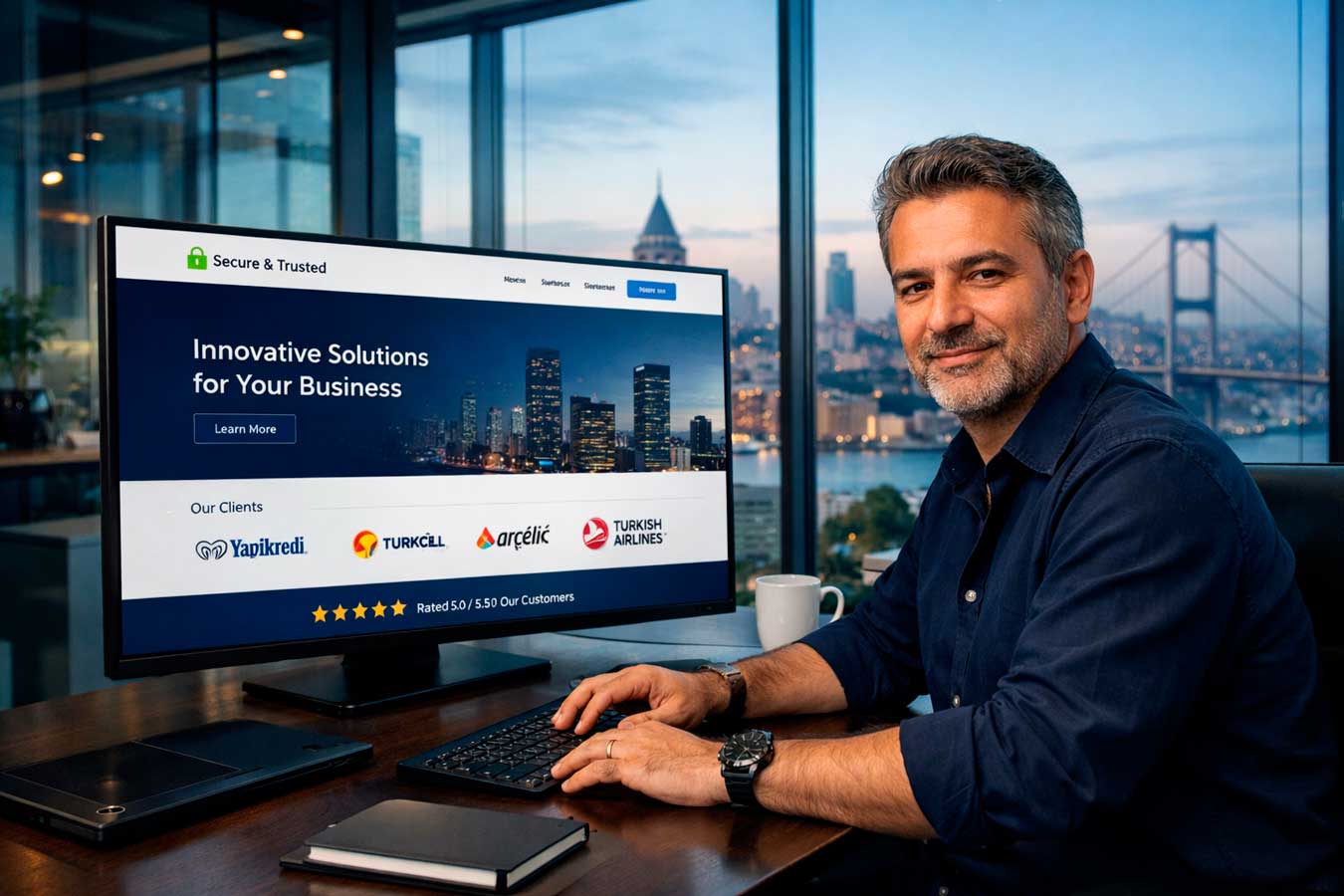
Speed and design open the first door; Trust signals invite the visitor inside. During the first impression process of a website, the user looks for certain visual cues without consciously analyzing them: “Is this site safe?”, “Is this company real?”, “Do others trust this company?” The answers to these questions are given by the trust signals present on the page during the critical moment of 5 seconds. According to Nielsen Norman Group research, users leave a site where they don’t see trust signals in an average of 8 seconds. When they see trust signals, the page viewing time increases by 3-4 times. This difference reveals the direct impact of a website’s first impression on conversion in numbers.
3.1 SSL Certificate and HTTPS: The Visible Foundation of Trust
The small lock icon and “https” prefix in the browser bar are the most basic visual signal of website trust. Sites without an SSL certificate are now displayed by browsers with a “Not Secure” warning. A user who sees this warning is highly unlikely to stay on your site. Moreover, SSL is among Google’s ranking factors; Trust and SEO are gained simultaneously.- HTTPS required: A site without SSL loses both users and Google
- Valid SSL: The certificate must be up-to-date — an expired SSL is worse
- EV SSL: Green bar for e-commerce and corporate sites increases trust
- Browser compatibility: The lock icon should appear in all major browsers
3.2 Social Proof: The Power of Customer Reviews and Testimonials
People believe the experiences of others; this is a universal psychological truth. Customer reviews, logo wall, and testimonial projects displayed on the homepage convey the message “Others trusted this company and were satisfied” in seconds, strengthening the sense of trust in terms of your website’s first impression. Reviews that include real names, real photos, and specific results create a much stronger trust effect than generic statements.
- Customer logos: working with recognized brands instantly conveys trust
- Star ratings: Google and industry scores should appear on the homepage
- Specific reviews: not “Their service was very good” but “They delivered our project in 3 weeks”
- Number of comments: A single comment raises suspicion — many comments build trust
3.3 Corporate Information: Transparency Builds Trust
Company address, phone number, tax number, and team photos — these may seem like small details, but they carry strong signals of trust for your website. A visitor looking for an answer to the question “Is this company real?” automatically answers that question when they see a physical address and real person photos. Transparency is the strongest foundation for corporate trust for your first impression website.
- Physical address: with map integration — “This company really exists” message
- Phone number: gVisible and clickable — accessibility builds trust
- Team photos: real people — “Who am I receiving service from?” Answer to the question
- Tax/registration number: a signal of legal transparency for corporate businesses
3.4 Certifications, Awards and Media Visibility
Industry certifications, awards you receive and media coverage provide third-party verification. This kind of evidence is far more powerful than saying “we are good”; others have said you are “good” and that is visible. These social validation mechanisms make a decisive difference, especially in competitive sectors. Certification logos, award badges, and media logos should be strategically placed on the homepage; Because these badges instantly convey trust for your website, creating a first impression.
- Certification logos like Google Partner, Meta Business Partner — instant trust
- Industry awards: Badges like “Best Digital Agency of 2025”
- “Where we are seen”: Media presence with Hürriyet, Milliyet, Forbes logos
- ISO certifications: process quality Documented evidence — Strong impact in B2B
👉 Check your website’s trust signals → Request a Free Trust Analysis
4. Message Clarity: Does the visitor understand what you do in 5 seconds? 💬
The speed is sufficient, the design is nice, the trust signals are in place — but if the visitor cannot find an answer to the question “What does this company do?” within 5 seconds of entering your site, the first impression is still unsuccessful. Message clarity is perhaps the most overlooked aspect of the first impression of your website process. Complex jargon, vague slogans, and generic statements that don’t appeal to anyone will drive visitors to leave your site.
💬 According to research by Nielsen Norman Group, users spend an average of 20 seconds on a website before leaving — if you can’t clearly explain what you’re offering in that time. Sites that deliver the right message in the first 5 seconds manage to keep the user exploring. What makes the difference is the clarity of the message for your first impression website: what you do, who you do it for, and why they should choose you.
4.1 Hero Section: The Heart of the First 5 Seconds
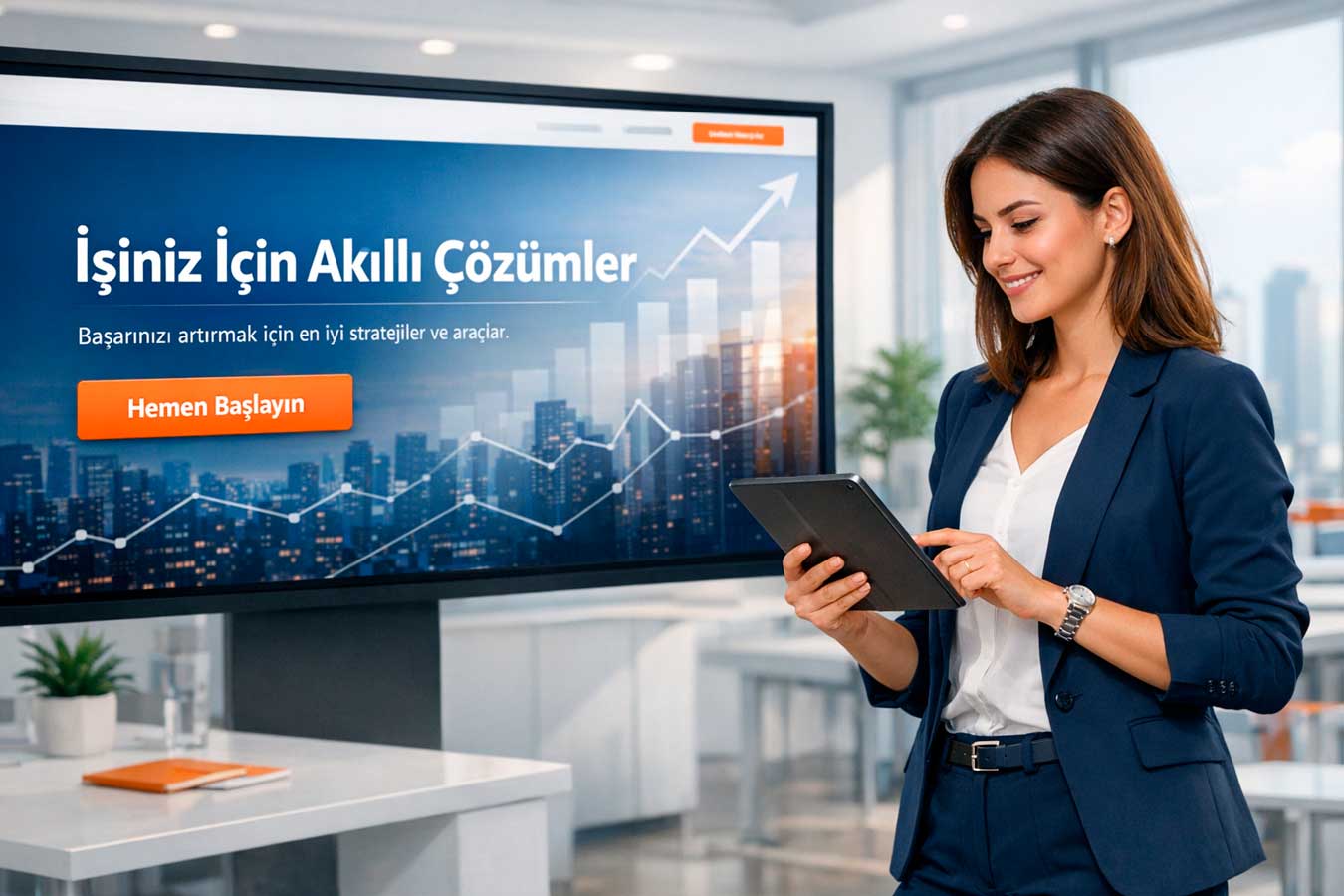
The hero section of the website — that is, the first area the visitor sees on their screen — First impressions are the most critical aspect of your website. You only have a few seconds in this space: you must clearly state who you are, who you serve, and what makes a difference. Generic statements like “We offer quality service” say nothing; The phrase “A digital agency that builds corporate websites for SMEs in Istanbul” says it all.
- Value proposition: 1 sentence, clear, specific — “What do you do, for whom, how?”
- Title length: 6-12 words ideal — longer ones are not read
- Subtitle: Support the value proposition with 1-2 sentences — from abstract to concrete
- CTA button: “Start Now”, “Get a Quote” — clearly explains what they need to do
4.2 Jargon Trap: You Understand, But the Customer Doesn’t
Industry jargon is seen as an indicator of expertiseThe first impression of a website is a major trap. The phrase “We offer omnichannel digital transformation solutions” is just meaningless noise in the mind of a potential customer, even if you know what you mean. Websites that use simple and understandable language perform, on average, 80% better in conversion rates than websites that use jargon. First impressions are crucial for your website, that’s why message simplicity is so important.
- Bad: “We provide synergistic business process optimization”
- Good: “We enable your company to do more work in less time”
- Bad: “We are your end-to-end digital transformation partner”
- Good: “We help you gain regular customers from your website every month” we are becoming”
4.3 CTA (Call to Action): Show the Visitor the Next Step
The final link in message clarity is giving the visitor the answer to the question “What should I do now?”. Sites with vague or numerous CTAs lead to decision fatigue and push the visitor towards inaction. In the website first impression process, a single and clear CTA always performs better than multiple options. Phrases that direct you to action, such as “Get a Quote,” “Consult for Free,” and “View Portfolio,” increase click-through rates compared to passive buttons. First impressions directly determine conversion rates for your website’s CTA clarity.
- One main CTA: a clear direction instead of multiple options that create confusion
- Action verbs: “Download”, “Start”, “Explore” — not “Info” or “About Us”
- Contrast color: The CTA button should stand out distinctly from the page color
- Repetitive CTA: Repeating the same message at critical points throughout the page — reminder effect
4.4 The Most Effective Way to Test Message Clarity: The 5-Second Test
The simplest and most effective way to measure the message clarity of your homepage is the “5-second test”. Show your homepage to someone who has never seen your site before for 5 seconds, then ask: “What does this site sell, who does it serve?”. If you don’t get a clear answer, you have a message clarity problem. You can also run a digital version of this test on real users using tools like UsabilityHub and Maze. This measurement is no longer guessing, it’s a data-driven process.
- UsabilityHub 5-second test: instant feedback from real users
- Maze: platform that measures user journey and message comprehensibility
- Hotjar: see where a visitor is looking and what they are reading with a heat map
- A/B test: compare two different hero titles — which one is better Is it well understood?
👉 Test your website’s message clarity → Request a Free UX Audit
📊 Good Website vs Bad Website: First Impression Comparison Table
The following table summarizes the key differences between good and bad examples in terms of your first impression website:
| Criteria | Good Website | Bad Website |
| Loading Speed | 1-2 seconds — visitor accesses content without waiting | 5+ seconds — visitor presses the back button |
| Design Language | Simple, consistent, modern — inspires trust | Crowded, inconsistent, outdated — creates chaos |
| Trust Signals | SSL, comments, testimonials are visible | No trust signal — raises suspicion |
| Message Clarity | “What it does” in 5 seconds understandable | The visitor cannot understand what is being done |
| CTA | Single, clear, distinct — guiding | ManyNumber or none — indecision |
| Mobile Compatibility | Seamless mobile experience | Broken layout, small fonts, difficult to click |
🧠Summary Box: 5 Critical Takeaways From This Article
First impression of your website summary:
- Speed comes first: 53% of site visitors who stay longer than 3 seconds are lost — speed is the invisible layer of first impressions
- Design carries a message:94% of users evaluate trustworthiness based on design
- Trust signals are essential:SSL, social proof, and transparency shape the “trustworthy” decision in 5 seconds
- The message must be clear:If “what you do” isn’t clear in 5 seconds, visitors won’t return
- Test it:Measure and optimize first impressions with 5-second tests, heat maps, and A/B testing
❓ Frequently Asked Questions
Does a website’s first impression really form in 5 seconds?
Research shows it takes even less time: 50-500 milliseconds the first judgment is formed. 5 seconds is the time it takes for a visitor to make a definitive decision about whether to stay or not. Every second of this window is critical for your website’s first impression.
Which element has the most impact on your website’s first impression?
Speed, design, trust signals, and message clarity complement each other; if one is missing, the others are insufficient. However, if we were to rank them: speed comes first, followed by message clarity.
The design and message are completely invisible on the slow-loading site.What should I do first to improve the first impression?
First step: Measure your speed score in PageSpeed Insights. Second step: Show your site to someone who has never seen it before and do a 5-second test. These two tests reveal the most critical problems.
What is the most common mistake in a website’s first impression?
The most common mistake: The ambiguity of the message in the hero section regarding the first impression of your website. Generic statements like “We offer quality service”, sentences that say nothing. A specific, clear, and customer-focused value proposition solves this.Why is first impression especially critical for small businesses?
Big brands are already well-known; small businesses often have only one chance in this first impression. If the visitor doesn’t know you and doesn’t trust you, they leave immediately. That’s why for small businesses, First impressions are even more crucial for your website.
🚀 Result: You Have 5 Seconds — Are You Using Them?
First impressions are formed in seconds for your website, but they can open or close the door to a customer relationship that lasts for years. Speed, design language, trust signals, and message clarity — these four elements are not independent of each other; they are a system that complements each other. When one is weak, the others cannot compensate for this deficiency.
So, is your site using those 5 seconds correctly? Do you know your speed score? Does your Hero section convey a clear message? Are your trust signals visible to the visitor? The answers to these questions explain why your conversion rate is where it is. Improvements to your first impression website are among the fastest-returning digital investments.
👉 Analyze your first impression website → Request a Free Comprehensive Site Audit
📋 About This Content:
This article was prepared by Adapte Digital for business owners, marketing managers, and digital strategy developers who want to understand the first impression of a website on the user.
📹 Video Content Recommendation:To explore the topic of website first impressions and user experience from a visual perspective, we recommend watching our video titled Adapte Digital · Web and Digital Marketing Agency. This briefly and concisely conveys our agency’s approach to website design and user experience.
🌐 Professional Web Design Service:If you want to redesign your website’s first impression with a professional team, we recommend you visit webtasarimsirketi.com. As Adapte Dijital’s digital setup department, we provide services in corporate web design, speed optimization, and user-focused projects.
🔗 Related Article:To see what you’re missing if you don’t have a website, check out our guide titled 7 Opportunities Businesses Without Websites Miss. Additionally, our other article titled Corporate Website vs Social Media: Which One Is Enough? will help you clear up any questions you may have.