
Getting first reviews for a new business: 6 rule-abiding ways and a message template
Getting first reviews for a new business is done in 6 rule-abiding ways: you prepare the review link and QR code Google gives you, put the QR at the till, add the link to receipts and thank-you messages, ask every customer with the same sentence, reply to every review, and show reviews on other channels in the right way. None of it costs money; setup takes half an hour.
Three things you do not do: give a discount or gift for a review, ask only happy customers, or have fake reviews written. Google prohibits all three. Below, each way comes with its time, cost and what you need.
Which 3 rules must you follow when collecting first reviews?
BU BÖLÜMÜN ÖZETİ
- Rule 1: no incentives
- Rule 2: ask everyone
- Rule 3: no fake reviews
According to Google’s help page, offering incentives such as free or discounted products in exchange for posting, changing or removing a negative review is strictly prohibited. Google also advises against asking only satisfied customers. Fake reviews break both Google’s rules and Türkiye’s commercial practice rules. These three rules go on the table before the first review.
Rule 1: no incentives
“Free coffee for a review” or “10 percent off for a review” is a prohibited incentive and the costliest opening mistake; the reviews can be removed.
Rule 2: ask everyone
Ask every customer with the same sentence, not just the smiling ones. Balanced reviews help new customers decide and show you what to fix.
Rule 3: no fake reviews
Do not have relatives, friends or bought accounts write reviews. With the amendment to the Commercial Advertising and Unfair Commercial Practices Regulation that took effect on 1 August 2026, publishing consumer reviews from sources where the purchase cannot be verified is also prohibited.
Common mistake: Running a review campaign in a healthcare business. If you are a clinic, dentist, aesthetics or physiotherapy centre, do not run a patient review collection campaign. First check the Regulation on Promotion and Information Activities in Health Services and your professional body’s rules.
Ways 1 and 2: How do you prepare the review link and QR code?
BU BÖLÜMÜN ÖZETİ
- Way 1: save the link (5 minutes, TRY 0)
- Way 2: put the QR at the till (1 day, printing cost)
- What you need: a verified profile
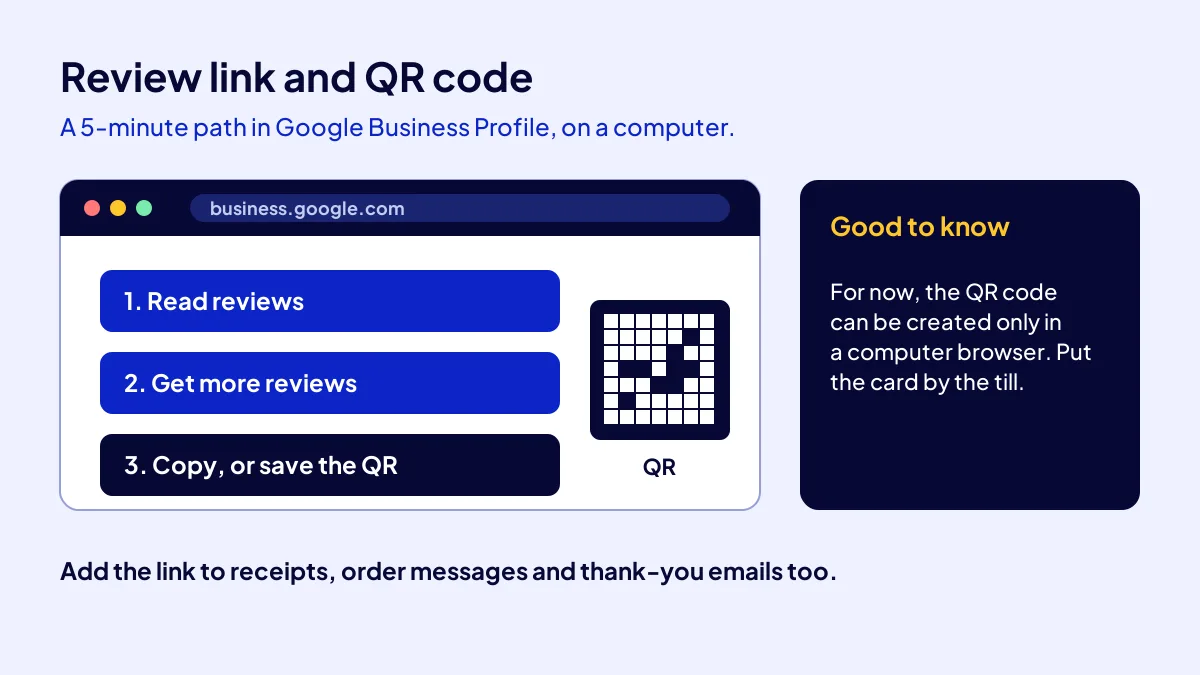
The link and QR code take 5 minutes. On a computer, go to business.google.com, click “Read reviews”, then “Get more reviews”. Take the link with “Copy” and save the QR as an image. According to Google, the QR code can currently be created only from a computer browser, not from a phone.
Way 1: save the link (5 minutes, TRY 0)
Save the link in your phone notes and WhatsApp Business quick replies.
Way 2: put the QR at the till (1 day, printing cost)
Print the QR at A6 or card size for the till, tables or pickup counter. Write one line under it: “Would you share your experience on Google?” Anything more is clutter.
What you need: a verified profile
This menu needs a verified profile. No profile yet? Start with adding a new business to maps.
Ways 3 and 4: When and with what sentence do you ask for a review?
BU BÖLÜMÜN ÖZETİ
- Way 3: add the link to receipts and messages (10 minutes)
- Way 4: one sentence face to face (5 seconds per customer)
- Ready message template
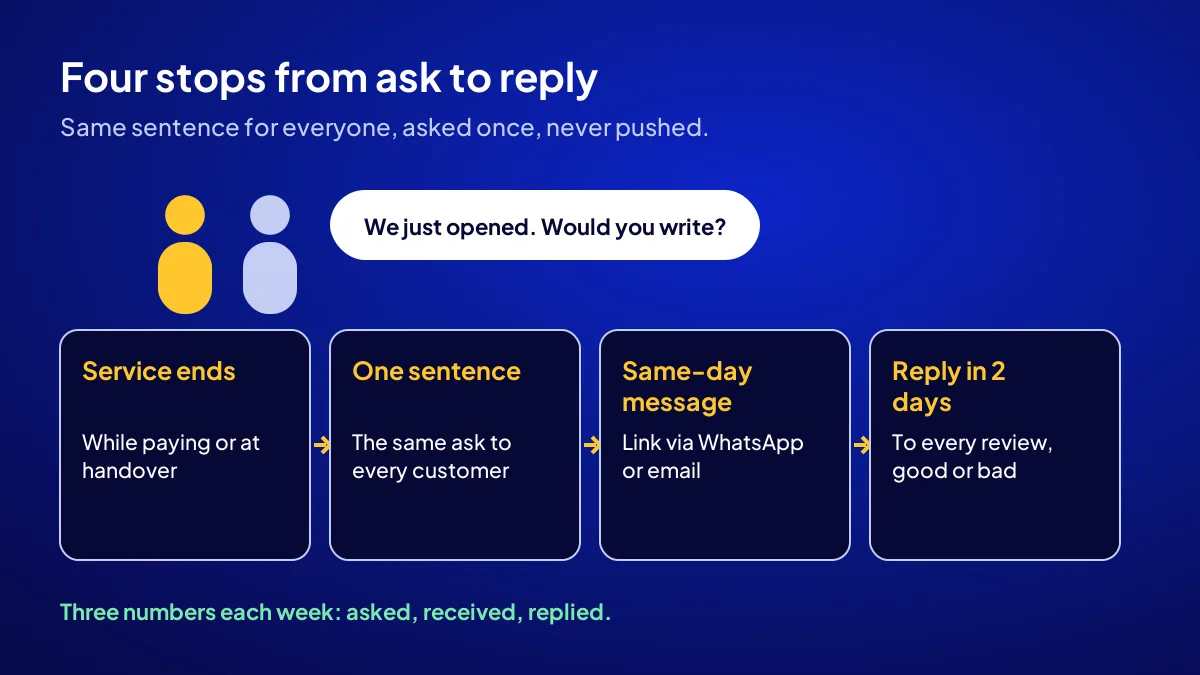
The natural moment is when the service is done and the customer is still with you: paying, at handover, after the hair is dried. One face-to-face sentence, then a short message the same day. Same sentence for everyone, asked once, never pushed.
Way 3: add the link to receipts and messages (10 minutes)
Add the link to the receipt note, order confirmation and thank-you email. As a WhatsApp Business quick reply, it goes with one tap.
Way 4: one sentence face to face (5 seconds per customer)
“We have just opened, and it would really help us if you wrote about your experience on Google. The QR code is by the till.” That is all. No need to chat the customer’s ear off.
Ready message template
“Hello, thank you for choosing us today. We are a newly opened business; if you write about your experience here, good or bad, it guides both us and the next customers: [review link]. Have a good day.” The words “good or bad” make it clear that you are not asking selectively.
Way 5: How, and how quickly, do you reply to reviews?
Reply briefly to every review, positive or negative, within two days at most. A reply thanks the writer and shows the next reader that the business is alive and listening. With a negative review, do not get defensive; acknowledge, explain the fix, move to the phone.
Replying to a positive review (1 minute)
Thank the customer by name and mention the specific thing they wrote: “Glad you liked the pastries.” Copy-paste replies read like a machine to the next person.
Replying to a negative review (5 minutes)
“You are right about the wait; we have added a person at lunchtime. Call us for details” usually calms things. Asking for removal or offering something in return breaks the rules.
Way 6: Can you show reviews on other channels?
You can show Google reviews on your site or social profile, honestly. Picking only five-star ones and saying “all our customers are happy” is misleading. If you publish customer reviews on your own site, make sure, under the regulation amendment in force since 1 August 2026, that they come from sources where the purchase is verified.
What to show
A link to your Google profile, the total count and a few dated reviews, so readers can click through to all of them.
What not to show
Skip undated, unnamed, unsourced “customer quotes”. They build no trust and invite rule disputes.
What should you expect and measure in the first 30 days?
BU BÖLÜMÜN ÖZETİ
- Value card: a café example
- If you want visibility built together
- Checklist: 6 items for first reviews
In the first 30 days, the target is a rhythm, not a count: ask everyone, reply to everything. How many will write varies by sector, neighbourhood and customer type. Measure three numbers weekly: asked, received, replied. They tell you what works.
Value card: a café example
Say you open a café in Büyükçekmece. Every receipt carries the QR, one sentence is asked at the till, a WhatsApp message goes out in the evening. Each Sunday you note three numbers: asked, received, replied. By week four your own figures show which way works.
If you want visibility built together
A review rhythm works best with a well-built profile and a page with contact buttons. The Website Recipe in Adapte’s Get Visible Online campaign builds the Google Business Profile, a sales page and visitor tracking together. The order of channels is in where a new business should appear first, and the full picture in the new business visibility guide.
Checklist: 6 items for first reviews
- The team has been told: no incentives, no selective asking, no fake reviews
- Review link copied, QR code downloaded from a computer
- QR card sits at the till or pickup point
- Link added to receipts, order messages and thank-you emails
- Every review gets a reply within two days at most
- Three numbers written weekly: asked, received, replied
Quick Summary
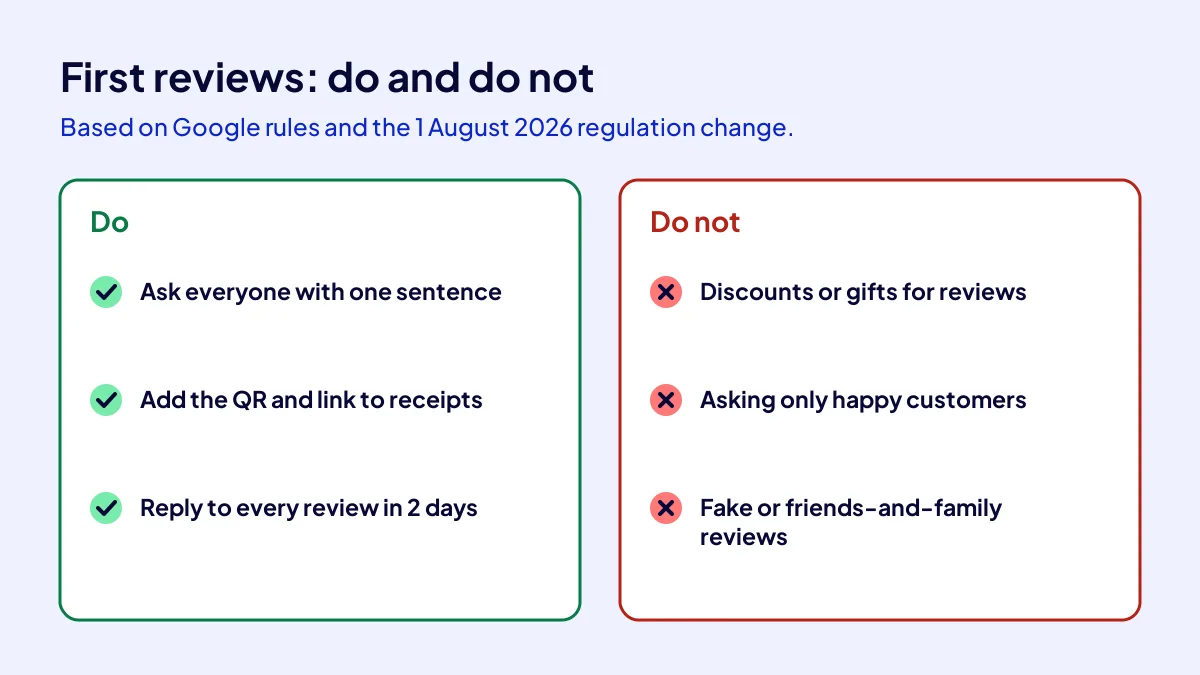
- Incentives for reviews, asking only happy customers and fake reviews are prohibited.
- Link and QR: business.google.com, “Read reviews”, “Get more reviews”.
- For now, the QR code can be created only from a computer browser.
- Ask every customer with the same sentence at the moment service ends.
- Reply to every review within two days; do not get defensive with negative ones.
- The target is a rhythm, not a number: asked, received, replied.
Short Glossary
Review link: A review link is the short address used to take a customer straight to a business’s Google review screen.
Incentivised review: An incentivised review is the name used for a review obtained in exchange for a discount, gift or payment, which Google’s rules prohibit.
Review gating: Review gating is the practice used to request reviews only from customers believed to be satisfied.
Next Step
If you want your profile, sales page and tracking set up in one go, apply for the Get Visible Online campaign and get the recipe that fits your needs form.
Frequently Asked Questions
Source: Google Business Profile Help — Create a link or QR code to request reviews
Sık Sorulan Sorular
Decide early who replies. How tasks split between owner, staff and agency is in who owns business visibility.
We cover the place of reviews in a customer’s decision separately in why Google reviews matter. In a new business, the real issue is not losing the review rhythm as the first weeks’ excitement fades. Reviews build up over weeks, not overnight.
No. Google strictly prohibits offering free or discounted products or services in exchange for posting, changing or removing a review. Such reviews can be removed.
According to Google’s help page, review QR codes can currently be created only from a computer browser. Follow “Read reviews” and “Get more reviews” at business.google.com.
The fee is TRY 36,000 + VAT, paid upfront at a fixed price; with 20 percent VAT it comes to TRY 43,200, so check the current rate on your invoice. The period is 3 months. You fill in the needs form, Adapte recommends a recipe, delivery starts with payment; if you have a coupon code, mention it when you apply or in the call.
Updated: October 2026