
Digital business card: how to make one with a QR code, contact file and sharing in 6 steps
A digital business card gathers your name, business, phone and links on one web page, shared by QR code or link. Six steps make one: gather the details, open a page on your own domain, style it in brand colours, add a “save to contacts” file, generate a QR code and share it everywhere.
With your own website, it takes 2 to 3 hours and costs nothing extra. When details change, you update the page instead of reprinting. Each step lists its time, cost and what you need.
How is a digital card different from a paper one?
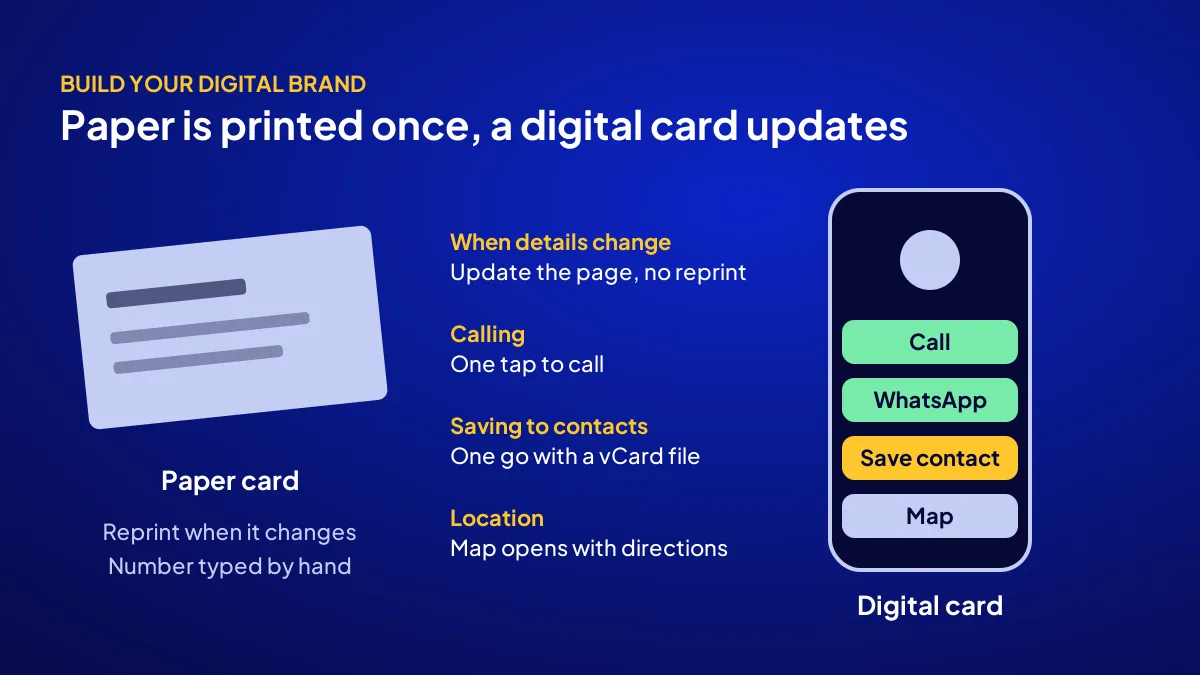
A paper card is printed once and ends up in a drawer; a digital card is an address that shows current details every time it opens. It dials with one tap, opens the map, starts a WhatsApp chat and saves you to contacts. Keep paper too: print the digital card’s QR on its back.
| Feature | Paper card | Digital card |
|---|---|---|
| When details change | Reprint | Page is updated |
| Calling you | Number typed by hand | One tap |
| Saving to contacts | Typed by hand | One go with a contact file |
| Location and directions | Address is read | Map opens |
The card is a page, and the page is your address
A digital card is really a small landing page, so it belongs on your own domain. A card on another platform is gone if that platform shuts down or starts charging.
Which 9 details belong on the card?
BU BÖLÜMÜN ÖZETİ
- Identity: 3 details
- Contact: 3 details
- Action: 3 details
A good digital business card splits 9 details into three groups: who you are, how to reach you and what people can ask of you. More crowds it, less leaves customers unsure. In the first 5 seconds a visitor should see your name, your business and a call button; the rest scrolls below.
Identity: 3 details
Name or brand name, one line on what you do, and a logo or face photo. Everyone knows the corner shop owner by face, so a photo builds trust.
Contact: 3 details
Phone (tap to call), WhatsApp (tap to message) and address (opens the map). Serving at customers’ places? List your service area instead.
Action: 3 details
Your website, one social account and a Google review link. More than three links, and visitors click none.
How do you set up content, address and design in the first 3 steps?
BU BÖLÜMÜN ÖZETİ
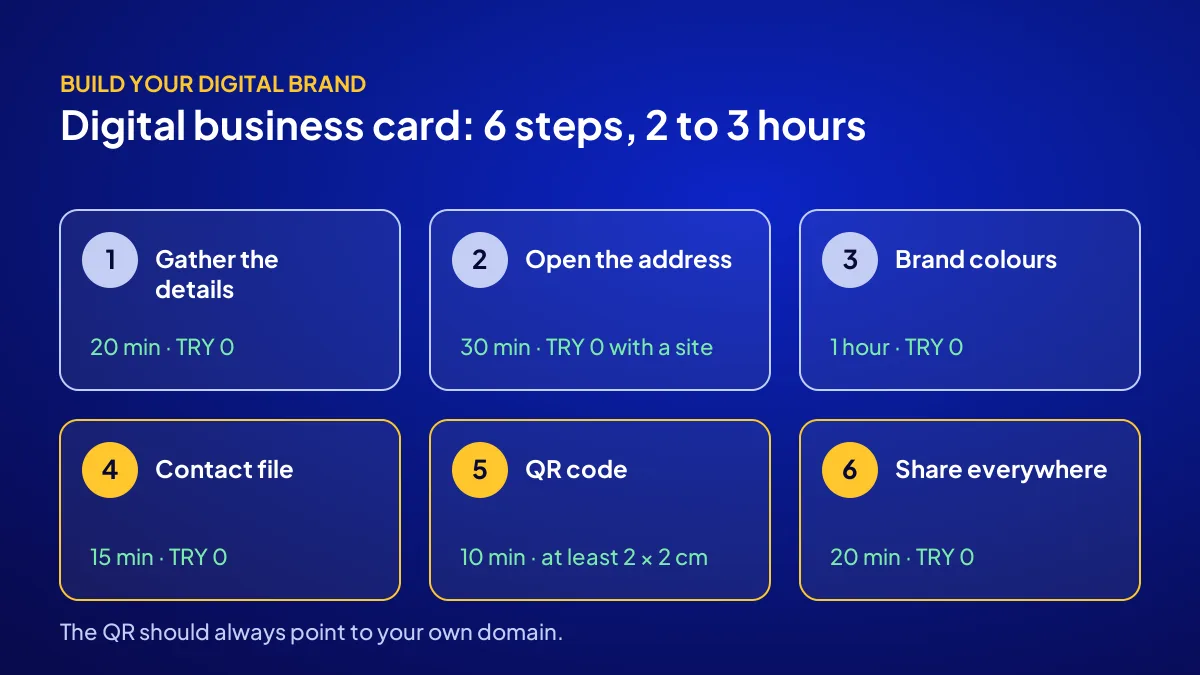
- Step 1: Gather the details (time: 20 minutes, cost: TRY 0)
- Step 2: Open the address (time: 30 minutes, cost: TRY 0 if you have a site)
- Step 3: Style it in brand colours (time: 1 hour, cost: TRY 0)
The first three steps fill the card: details, page address and look. They take about 2 hours and cost nothing if you have a site; if not, a domain and site come first. Go in order; designing before the details settle means doing the job twice.
Step 1: Gather the details (time: 20 minutes, cost: TRY 0)
What you need: the 9-detail list above. Write each detail into a text file, phone number in international format (+90). Written right once, it is copied unchanged everywhere.
Step 2: Open the address (time: 30 minutes, cost: TRY 0 if you have a site)
What you need: your own domain and your site’s admin panel. Create a page with a short address, e.g. yourbrand.com.tr/card, short enough to say out loud.
Step 3: Style it in brand colours (time: 1 hour, cost: TRY 0)
What you need: your brand guideline, meaning logo, colour codes and typeface. Use the guideline’s colours and typeface; put the call button on top in a strong colour. We explain what a guideline holds in what is a brand guideline.
How do you handle the QR code, contact file and sharing in the last 3 steps?
BU BÖLÜMÜN ÖZETİ
- Step 4: The save-to-contacts file (time: 15 minutes, cost: TRY 0)
- Step 5: The QR code (time: 10 minutes, cost: TRY 0)
- Step 6: Share it everywhere (time: 20 minutes, cost: TRY 0)
The last three steps put the card in people’s pockets: a contacts file, a QR code and sharing channels. They take about 45 minutes and cost nothing. The point is that nobody struggles to find you a week later; a card not saved to contacts is a forgotten card.
Step 4: The save-to-contacts file (time: 15 minutes, cost: TRY 0)
What you need: your own phone’s contacts app. Export your own contact with “share contact” as a .vcf vCard file and add it to the page behind a “Save to contacts” button.
Step 5: The QR code (time: 10 minutes, cost: TRY 0)
What you need: the card page address and a QR generator. Add ?utm_source=businesscard to the address so card visits show separately in Google Analytics. Print it at least 2 × 2 cm; test with 3 phones.
Step 6: Share it everywhere (time: 20 minutes, cost: TRY 0)
What you need: the passwords to your accounts. Put the link on your WhatsApp Business profile, email signature and Instagram bio. Print the QR on paper cards, a counter stand and package labels.
Common mistake: pointing the QR at a free tool’s short link. If the tool starts charging or shuts down, every printed QR lands on an empty page. Point it at your own domain.
How do you add a Google review QR to the card?
Google Business Profile gives you a ready-made link and QR code for asking customers for reviews. On your profile, go to “Read reviews”, then “Get more reviews”, and copy the link or download the QR, which Google’s help page says works from a computer browser. It is the card’s third action detail.
What not to do
Google prohibits free or discounted goods or services in exchange for reviews. No “10% off for a review” lines; your profile could be restricted.
How to use it at the counter
A small stand by the till can hold two QR codes: card and reviews. “If you liked it, you can review us here” shows the way without pushing.
What comes with the digital business card in the campaign?
In the Build Your Digital Brand campaign, the digital business card is not built on its own but together with the brand’s whole digital identity. Consulting, a TÜRKPATENT preliminary search and availability check, logo, colours, typeface, a domain and 6-page site, 108 articles, a guideline and a social media kit share the package. The card is that identity in pocket size.
Price, slots and last day
TRY 36,000 + VAT, fixed and paid upfront; with 20% VAT that is TRY 43,200, but check the current rate on the invoice. The domain is in your name; year-2 server renewal is on you. There are 12 brand slots and the last day is 1 November 2026. For details, see the Build Your Digital Brand campaign page.
Where the card sits
The card is the last link after name, identity, site and content; see the chain in building a digital brand.
A 6-point checklist before you go live
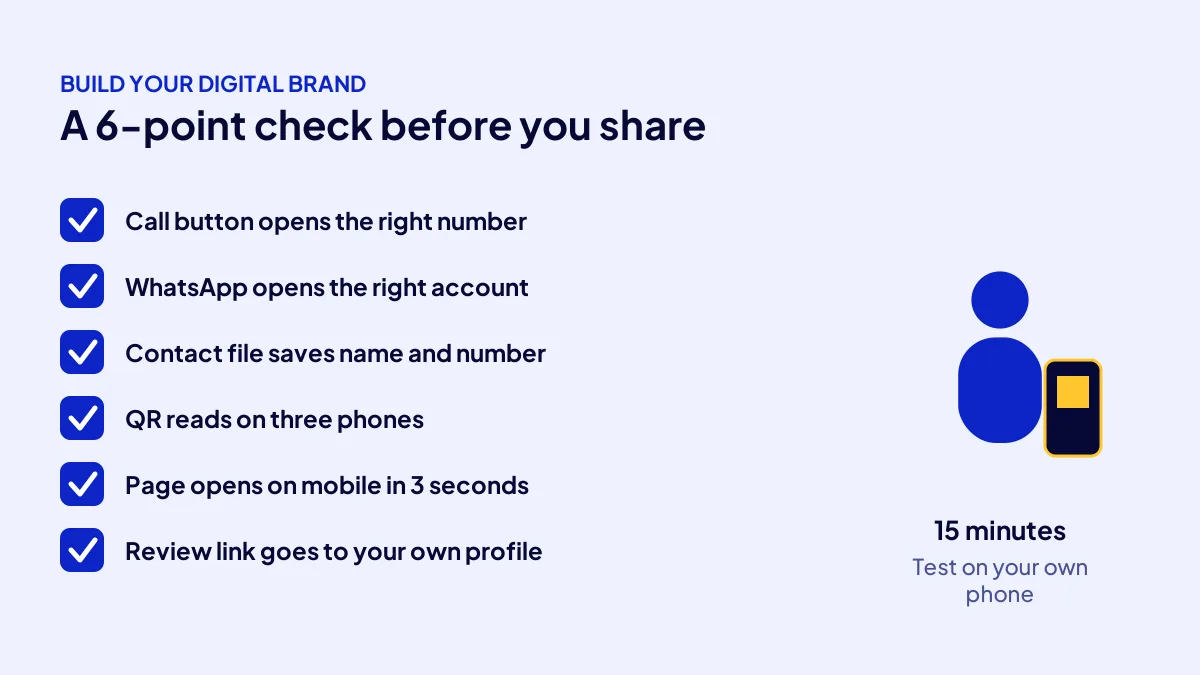
Before sending the card to customers, friends and suppliers, test the 6 points below one by one on your own phone and fix any failure first. It takes 15 minutes and keeps hundreds of printed QR codes out of the bin.
- Call opens the right number.
- WhatsApp opens a chat with the right account.
- “Save to contacts” stores name, number and logo correctly.
- The QR reads on three phones and opens your own domain.
- The page opens on mobile in 3 seconds without shifting.
- The Google review link goes to your own profile.
Quick Summary
- A digital business card is one web page shared by QR or link.
- Keeping it on your own domain is the safest route.
- Nine details are enough: 3 identity, 3 contact, 3 action.
- Add a .vcf vCard file for “save to contacts”.
- The Google review QR comes from Business Profile; discounts for reviews are prohibited.
- The campaign builds the card with identity and site.
Short Glossary
vCard: vCard is the .vcf file format used to move contact details into a phone’s address book in one go.
QR code: A QR code is the square code used to open a web address through a phone camera.
UTM parameter: A UTM parameter is the address suffix used to tag a visit’s source in analytics.
Next Step
Want a brand behind the card? Let us build it in order. Apply to the Build Your Digital Brand campaign for identity, site, 108 articles and the digital card in one package. For the 10% coupon, just mention the code when you apply or during the call.
Frequently Asked Questions
Source: Google Business Profile Help — Create a Google link or QR code to request reviews
Sık Sorulan Sorular
A business card is part of your corporate identity, not the brand itself. We unpack that difference in identity or brand.
With a site and guideline ready, build the card yourself with the 6 steps; without a name, logo or site, the card comes last. You can find what each item costs on its own in how much to build a brand.
Brand consulting, a TÜRKPATENT preliminary search and availability check, logo, colour and typeface, a domain, 1 year of hosting, a 6-page site, 108 articles, a brand guideline, a social media kit, a digital business card, structured data and a handover video.
No. The card is a web page; the camera reads the QR and the browser opens it.
Yes, for handing over in person, with the digital card’s QR printed on the back.
Updated: October 2026