
Dental clinic Google Business Profile: the right category and 6 fields for a new clinic
When you set up a dental clinic Google Business Profile in Türkiye, the right primary category for most clinics is “Dental clinic”, and for a solo practice it is “Dentist”. Specialist categories such as orthodontist or pediatric dentist are added only if a dentist with that registered specialty actually sees patients there. The category says what you are, not everything you do.
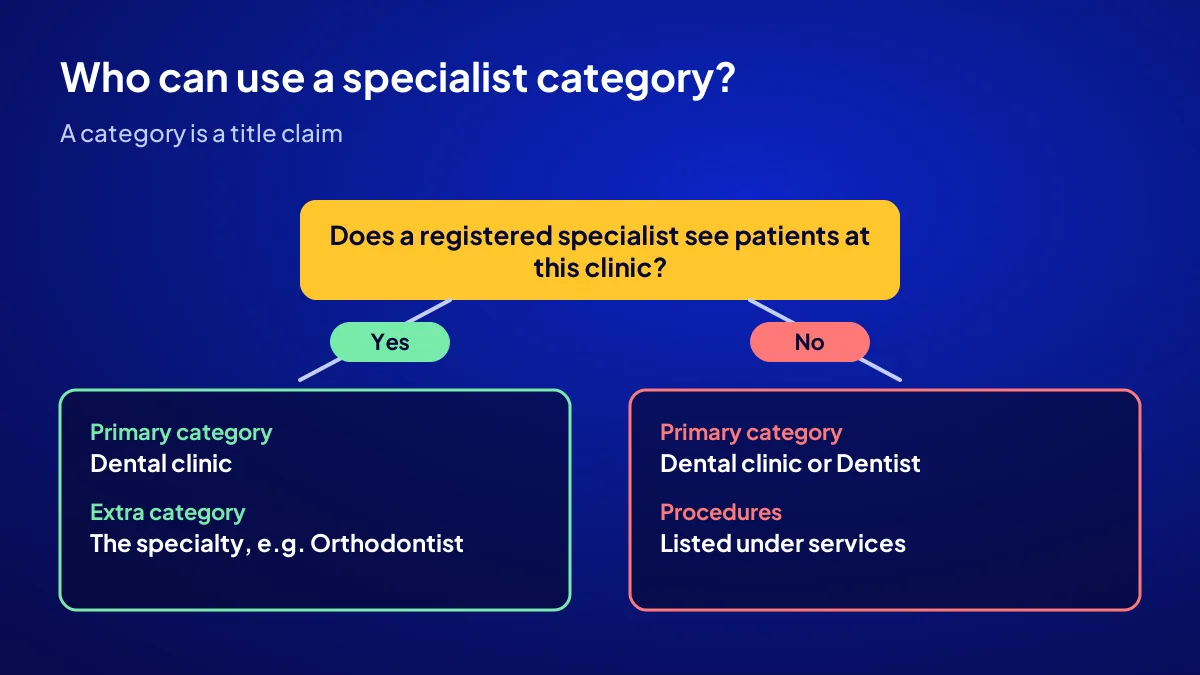
For a newly opened clinic, six fields decide whether patients find you in the first weeks: primary category, additional categories, profile name, address and hours, services and description, photos and dentist details. All six must also comply with Türkiye’s health promotion regulation published on 12 November 2025.
Which Google category is right for a dental clinic?
A branded clinic with several dentists uses “Dental clinic”; a solo practice uses “Dentist”. Google asks you to pick as few categories as possible. The category says who the business is; procedures such as implants or whitening belong in the services field instead.
Most people do not know this
The category list looks like a menu, yet it works as a declaration. Google relies heavily on it to decide which searches show your profile. A new clinic with the wrong primary category is like a shop whose sign faces the main street while the door opens onto a back alley.
Think of it as a doorbell label
If the name on the doorbell is short and correct, the postman finds the right flat. Write “teeth, implants, cosmetic, kids, emergency” on it and both the postman and the confused patient ring the wrong bell.
When do you add an extra category, and who can use a specialist one?
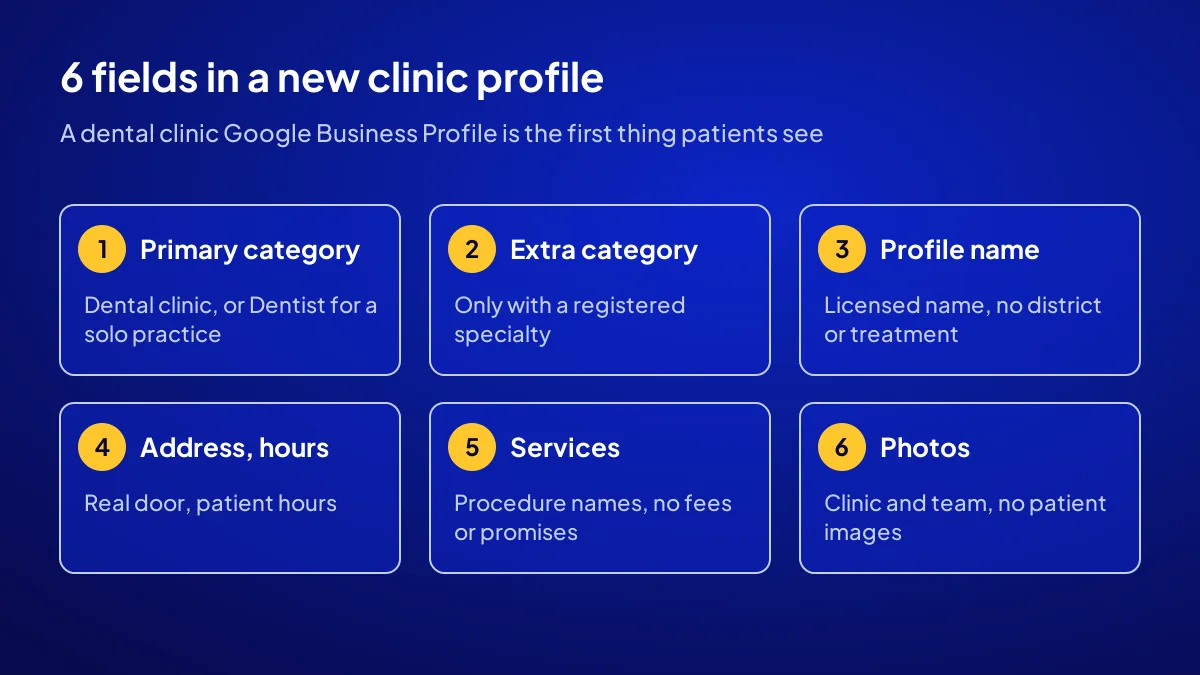
Add an extra category only for real work the primary one cannot express. In dentistry the test is clear: a specialist category is chosen only if a dentist registered in that specialty sees patients at the clinic. The regulation says only fields in a registered diploma may be stated. With no specialist on site, skip the category and list the procedures as services.
A specialist category is a title claim
Orthodontics, pediatric dentistry and periodontology are specialties in Türkiye. Seeing “Orthodontist” on a profile tells patients a specialist works there. Without one, it becomes a claim that can count as a false title.
How should you write the profile name, and can you add the district or a treatment?
The profile name is the real name on your sign and licence, nothing more. Google prohibits adding unnecessary information to the business name and may suspend the profile for it. Stringing words together, such as “Beylikdüzü Implant Cosmetic Dental Clinic”, is risky if that is not your actual name. The district is already read from the address field.
Solo dentist at a branded clinic
Under Google’s guidelines, if you are the only practitioner seeing patients at a branded location, one profile can use the format “Brand: Practitioner name”. With several dentists, keep the clinic profile and the practitioner profiles separate.
Write the title correctly
A practitioner profile may include a title such as “Dt.” or “Specialist Dt.”. It must match your diploma and chamber registration exactly. Why patients search the dentist’s own name is covered in why patients search the dentist’s name.
What goes into each of the 6 fields, and what stays out?
In every field, Google’s rules and the health promotion regulation apply together. Google wants real information; the regulation bans advertising and limits promotion. The table shows, field by field, what a new clinic can write and what to avoid. Fill it in once before opening.
| Field | Write | Leave out |
|---|---|---|
| Primary category | Dental clinic or Dentist | A service name used as category |
| Additional category | Specialty backed by registration | Specialist category with no specialist |
| Profile name | Name on licence and sign | District, treatment, “best” |
| Address and hours | Real address, patient hours | PO box, hours nobody answers |
| Services and description | Service names, preventive info | Fees, discounts, campaigns, promised results |
| Photos and dentist | Clinic, team, equipment, entrance | Patient images, edited visuals |
Say you are a new two-dentist clinic
Say you are opening your doors in Beylikdüzü, İstanbul, with two dentists, one of them an orthodontic specialist. The primary category is “Dental clinic” and the additional one is “Orthodontist”. Fillings and root canal work go into services, not categories.
Setting up the profile is a separate topic
Verification steps are the same for every business, so we leave them to the guide on how to set up a Google Business Profile.
What matters in the address, hours and phone fields?
The address is the real place patients walk in; Google does not accept PO boxes. Hours are your normal patient hours. The phone number is the line that actually gets answered. The regulation explicitly allows these three details, so this is the easiest part to fill in.
Describe the building entrance
If the clinic is on an upper floor, add the floor and unit. “I walked around the market and could not find it” is how first appointments get missed.
Do not let the phone ring out
For the patient, the number on the profile is the clinic. Every missed call grows the question “are they even open?”.
What can you write in services and the description?
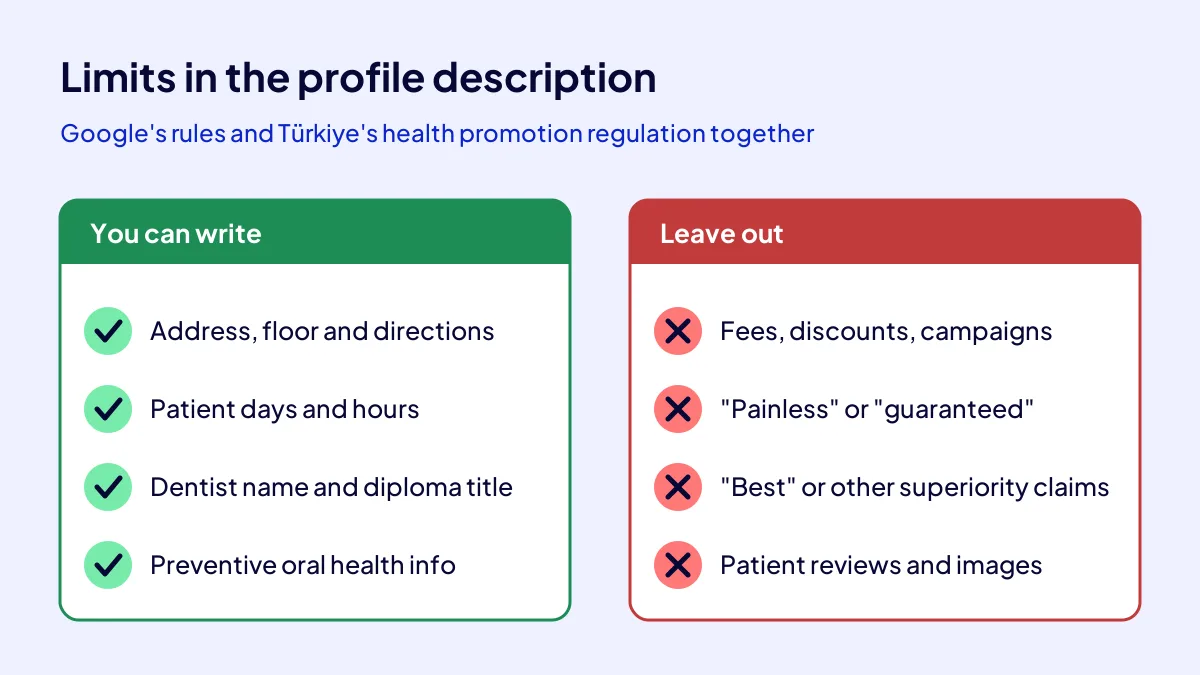
The services field lists the procedures you perform: examination, fillings, root canal treatment, scaling, orthodontics and so on. The description can include the address, dentists’ professional titles, patient days and preventive oral health information. Fees, discounts, campaigns, result promises such as “painless” or “guaranteed”, and anything implying you are better than other clinics stay out.
A safe description skeleton
- Names and diploma titles of the dentists who see patients.
- Patient days, hours and how to book.
- Directions, parking and public transport details.
When someone asks about price
Prices stay off the profile and are explained face to face if asked. The regulation explicitly bans fee information in promotion. What you can and cannot say is listed in dental clinic advertising rules.
How do photos, dentist profiles and reviews stay within the rules?
Photos can show the entrance, waiting room, treatment room, equipment and team. Patient images need written explicit consent and the regulation’s conditions; a new clinic is safest avoiding them. You may reply to reviews but never mention the treatment. Turning satisfaction into promotional material is prohibited.
A first photo set
Building and door, waiting area, treatment room. These three shots answer the patient’s wish to see inside before walking in.
The limit in review replies
“Thank you for your visit” is enough. Naming the procedure breaches patient privacy, so do not do it.
Now you know: the category is a declaration, the name an identity, the description an information field. If you want the profile built in that order, the Website Recipe in the Get Visible Online campaign includes Google Business Profile setup; see the campaign page. The clinic’s full promotion path is in new dental clinic promotion, and the first 90 days in the new dentist practice plan.
Quick Summary
- The primary category is “Dental clinic” for most clinics and “Dentist” for solo practices.
- Add a specialist category only with a registered specialist on site.
- The profile name is the licensed name; no district or treatment added.
- Address, hours and phone are explicitly allowed information.
- No fees, discounts, campaigns or promised results in the description.
- Review replies never mention the treatment.
Short Glossary
Primary category: The primary category is the Google Business Profile field used to define in one term what the business is.
Additional category: An additional category is the secondary classification used to show a real area of work the primary category does not cover.
Promotion and information: Promotion and information is the legal framework used by health providers in Türkiye to share address, hours, titles and preventive health information without advertising.
Next Step
If you want all six profile fields set up within the rules in one go, apply for the Get Visible Online campaign. TRY 36,000 + VAT, paid upfront at a fixed price for 3 months; the recipe that fits is suggested from your needs form.
Frequently Asked Questions
Source: Google Business Profile Help — Guidelines for representing your business on Google
Sık Sorulan Sorular
For a new clinic, one primary and at most two additional categories usually do the job. A crowded list blurs the profile rather than strengthening it.
A dentist with a registered orthodontic specialty must see patients at the clinic. Without one, do not choose this category; list the procedures you perform under services, in line with your diploma. Check with your dental chamber for your own case.
No. The health promotion regulation bans fee, discount, campaign and promotion information in promotion and information activities. Fees are explained face to face when a patient asks.
Yes. The Website Recipe covers a mobile-friendly sales page, contact buttons, Google Business Profile, basic SEO and visitor tracking. The package is TRY 36,000 + VAT, upfront and fixed; with 20 percent VAT it is TRY 43,200, but check the current rate on your invoice.
Updated: October 2026