
Dental clinic opening announcement: how to do it within the rules, with 6 examples
A dental clinic opening announcement in Türkiye in 2026 is written in the language of information only: address, contact details, working hours, the specialties you accept patients for, and your dentists’ titles. Prices, discounts, “free check-up”, raffles and gifts are off the table. The Regulation on Promotion and Information Activities in Health Services, in force since 12 November 2025, draws that line.
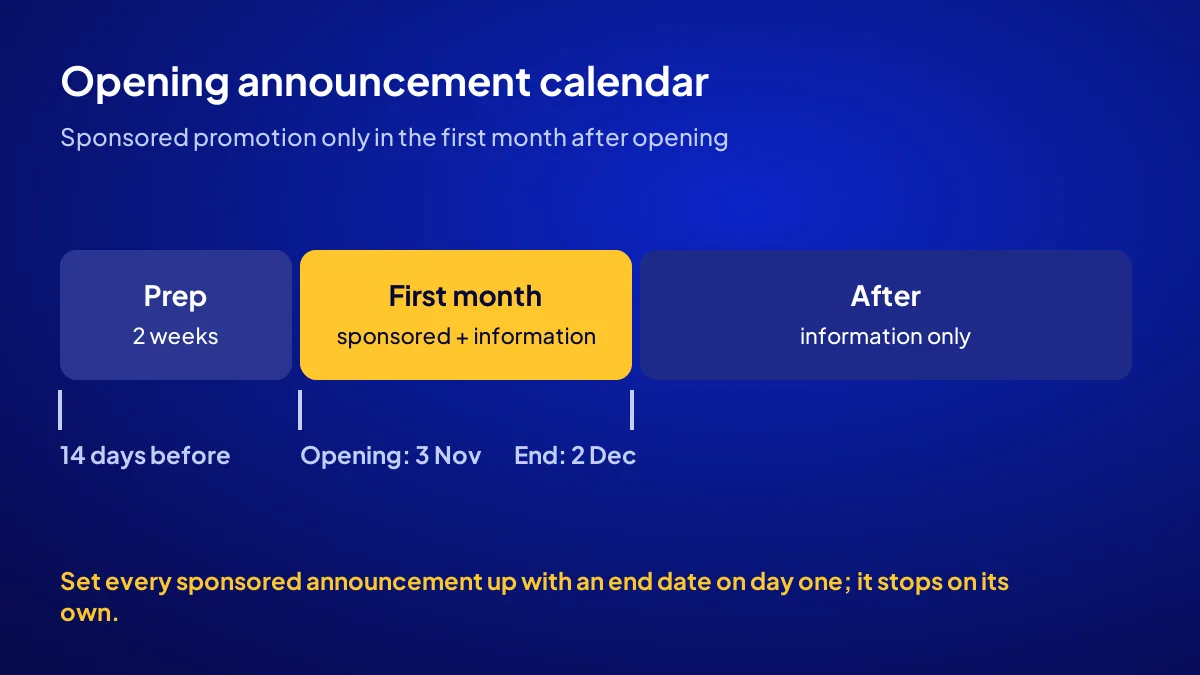
A new clinic gets one exception. Under Article 5(1)(j) of the regulation, a health facility may run sponsored promotion and information on all platforms for the first month after its opening. So your paid announcement window is one month, and the content still follows the same rules.
What can an opening announcement say, and what can’t it?
The list comes from the definition in Article 4: address and contact details, working days and hours, the specialties you accept patients for, your dentists’ professional and academic titles, and preventive health information. Anything beyond that can count as advertising. Keep the copy inside these five boxes.
| You may write | You may not write |
|---|---|
| Address, phone, directions | Price, discount, instalments, “opening special” |
| Working days and hours | Raffle, gift, “free check-up” |
| Specialties (e.g. orthodontics) | “Specialist” titles based on a certificate |
| Dentists’ names and titles | Patient thank-yous, satisfaction reviews |
| Preventive oral health information | Claims such as “best”, “guaranteed”, “painless” |
Check your own rulebook first
For sign sizes, titles and ethics, also check with your provincial health directorate and the Turkish Dental Association’s rules. Our piece on dental clinic advertising rules lists what you can and cannot say in full.
How do you work out the one-month sponsored window?
The window starts on your opening day and lasts one month. If you start seeing patients on 3 November, the window closes on 3 December. The safe side is to end everything sponsored a day earlier, on 2 December. It is your only paid month as you pull up the shutter.
Set the end date on day one
Google Ads has an end date in campaign settings, and Meta has one at ad set level. Fill it in every time; the ad stops on its own when the window closes.
How do you prepare in 6 steps?
Preparation starts at least two weeks before opening, so you don’t lose window days to setup. Each of the six steps below has a time and a required item. The total work is a weekend and a few evenings. The ad budget is your decision; the job here is the calendar.
- Write the information card (1 hour). Address, phone, hours, specialties, dentists’ names and titles. One document, written the same way on every channel.
- Open and verify your Google Business Profile (verification can take a few days). Add your opening date to the profile.
- Put an announcement bar on the website (30 minutes). Show the last-updated day and the editor’s contact at the bottom; Article 5(1)(ı) asks for this.
- Open the ad accounts (1 evening). The account and payment card should be in the clinic’s name.
- Divide the budget by the days in the window (30 minutes). 3 November to 2 December is 30 days. The line-by-line maths belongs to the budget piece in this set.
- Have a second person read the copy (1 day). A partner dentist or your lawyer should look for “price, discount, claim” words.
Common mistake: Waiting for profile verification during the window. A late verification silences a quarter of your month; open the profile two weeks early.
Three sample announcements for digital channels
BU BÖLÜMÜN ÖZETİ
- Sample 1: Google Business Profile update
- Sample 2: Sponsored Instagram and Facebook post
- Sample 3: Google Ads search copy
The three texts below stay within the five pieces of information the regulation allows. Fill in the brackets and add nothing else. Each one notes the channel’s real limit or menu name. All three can run sponsored in the first month and stay organic afterwards.
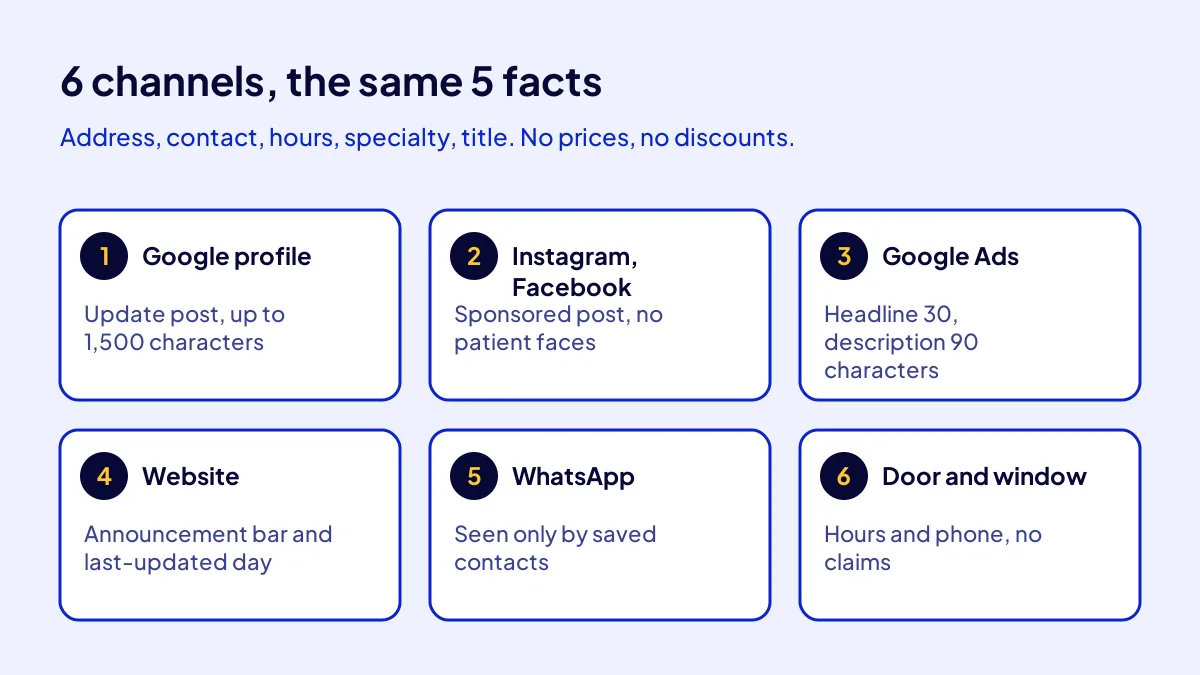
Sample 1: Google Business Profile update
“[Clinic name] is accepting patients in [district] from [day month]. Address: [address]. Hours: Monday–Saturday 09:00–19:00. Our dentists: Dt. [Name Surname], Spec. Dt. [Name Surname] (Orthodontics). Appointments: [phone].” The post field takes up to 1,500 characters.
Sample 2: Sponsored Instagram and Facebook post
“We are now accepting patients at our new address in [district]. Our specialties: orthodontics, paediatric dentistry. Open six days a week. Use the link in our profile for directions and appointments.” Show the clinic front, not a patient’s face.
Sample 3: Google Ads search copy
Headlines: “[Clinic name] [District]”, “Now Accepting Patients”, “Mon–Sat 09:00–19:00”. Description: “See our dentists, our specialties and directions on our page.” Headlines cap at 30 characters and descriptions at 90.
Three more samples: on the map, at the door, by message
BU BÖLÜMÜN ÖZETİ
- Sample 4: Website announcement bar
- Sample 5: WhatsApp Business status
- Sample 6: Door and window notice
Your name doesn’t get around the neighbourhood through screens alone. The person walking past the door, the person who has your number saved, the person landing on your website all see the announcement. The same rule holds on all three: five pieces of information, zero claims.
Sample 4: Website announcement bar
“From [day month] we are accepting patients at [address]. Click for working hours and our dentists.” Address and hours stay on the contact page after the month ends.
Sample 5: WhatsApp Business status
“Our new address: [address]. Patient hours: [hours]. Message this number for an appointment.” Only people who saved your number see a status. Article 5(1)(k) bans contacting people without consent; don’t buy lists.
Sample 6: Door and window notice
“Now accepting patients. Monday–Saturday 09:00–19:00. Appointments: [phone].” Writing “opening special” in the window because no one walks through the door is hanging the fine on your own door.
Where does the announcement go after day 30?
When the window closes, the announcement doesn’t end; it changes shape. Paid reach stops; profile, website and social information stays. From here on, patients find you when they search. For the right order of licence, opening and first announcement, read when a dental clinic can start promotion.
A 6-point checklist before you hit publish
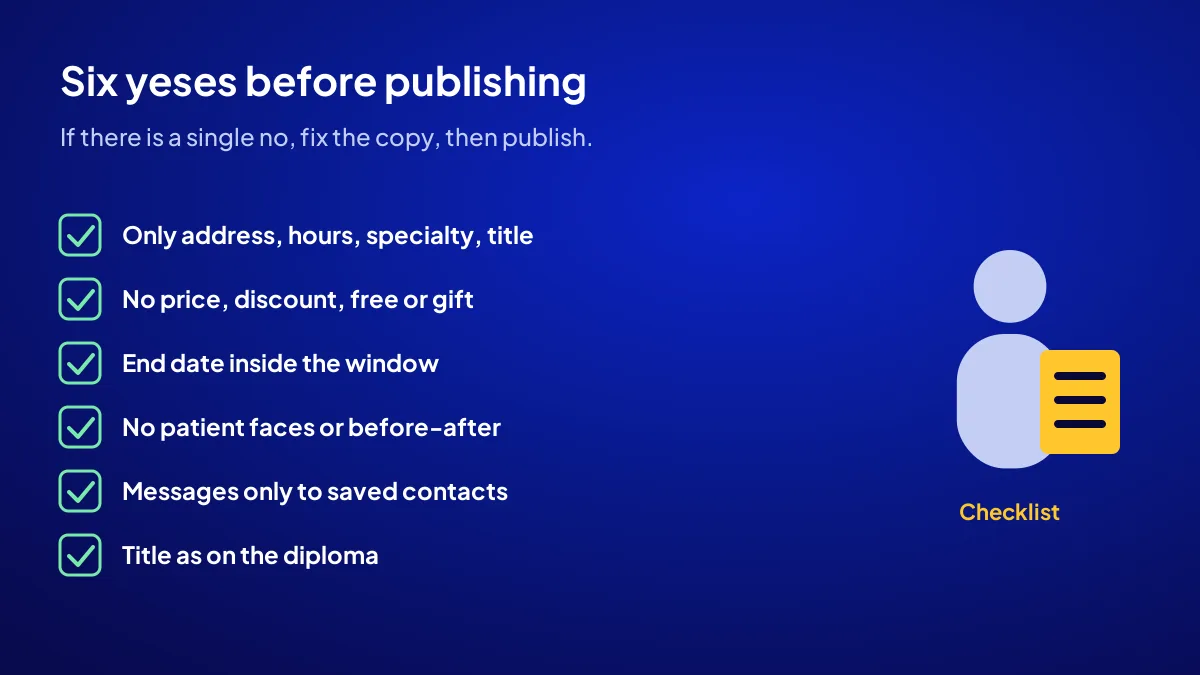
Before any announcement goes live, you should be able to say “yes” to the six questions below. If there’s a single “no”, fix the copy, then publish. The list takes a minute to read, and a printed copy on the desk catches what opening week makes you forget.
- Only address, contact, hours, specialty, title or preventive information?
- No price, discount, instalment, free or gift?
- End day inside the window?
- No patient faces, intraoral shots or before-and-after photos?
- Every message recipient saved your number themselves?
- Titles exactly as on the diploma and Ministry registration?
If you’d rather not write it yourself
Adapte’s Get Visible Online package runs for 3 months at TRY 36,000 + VAT, paid upfront at a fixed price (TRY 43,200 with 20% VAT; check the current rate on the invoice). You choose one of the Website, Google Ads or Meta Ads Recipes. The ad budget isn’t included and is paid to the platform separately. For a clinic, the sponsored part has to fit inside the opening month; settle the recipe choice around that calendar in the call.
Quick Summary
- Opening announcements carry information only.
- A new clinic may run sponsored announcements for the first month after opening.
- Set up every sponsored announcement with an end date on day one.
- Price, discount, free check-up, raffles and gifts can’t be written.
- Message announcements go only to people who saved your number.
- After the window, profile, website and preventive content remain.
Short Glossary
Sponsored promotion: Sponsored promotion is the paid ad format used to show an announcement to more people.
End date setting: An end date setting is the option used in ad platforms to make a campaign stop on its own.
Information activity: An information activity is the non-advertising communication used by a health facility to share address, hours, specialty and titles.
Next Step
If your opening month is close, don’t leave setup to the last week. Apply for the Get Visible Online campaign and let’s set the recipe from your needs form and the calendar around your opening month together.
Frequently Asked Questions
Source: Google Ads Advertising Policies Help — Healthcare and medicines
Sık Sorulan Sorular
Article 5(1)(l) bans incentives, raffles and gifts; Article 5(1)(m) bans fee, discount, campaign and promotion information. A free first check-up trips over both.
Compare it with your licence or operating permit. If the dates differ, ask the provincial health directorate in writing which one counts.
A phone number written two ways confuses patients. For the general digital setup of a new business in its first 30 days, see our new business first 30 days digital setup guide.
By location: a few kilometres around the clinic. Don’t use interest targeting that hints at a condition.
Article 5(1)(i) allows search engine registration if keywords and results-page information comply. Planning paid search after the opening month? Ask the provincial health directorate or a health lawyer first.
A map profile in the right category, a website with dentist pages, and preventive oral health posts. You’ll find the full path for a new clinic in our new dental clinic promotion guide, and the first 90 days in the new dentist practice plan.
Don’t turn the announcement into a price offer. Check the map category, call-back speed and dentist information; all three change the result within the rules.
Yes, for the first month after opening, under Article 5(1)(j) of the regulation. The content must still be information only.
No. The regulation bans fee, discount, campaign and promotion information. Free check-ups, raffles and gifts fall under the same ban.
No. The Get Visible Online package is TRY 36,000 + VAT, and the ad budget is paid to Google or Meta separately. If you have a coupon code, just mention it when you apply or in the call.
Updated: October 2026