
How to grow a website you bought: a 6-step plan for the first 90 days

You grow a website you bought in six steps over the first 90 days: complete the transfer and record a baseline, watch for a month without touching, fix impressions that get no clicks, shorten the path to an enquiry, add missing pages, then measure on day 90 and decide. Order matters. Rebuilding a working system in week one puts the demand you bought at risk.
Most of the plan runs on free tools: Search Console, Analytics and PageSpeed Insights. What you mostly spend is time, about 4 to 6 hours a week. In 2026, for most people taking over a site in Turkey, the biggest risk is haste, not lack of knowledge.
What does the 90-day plan look like in one table?
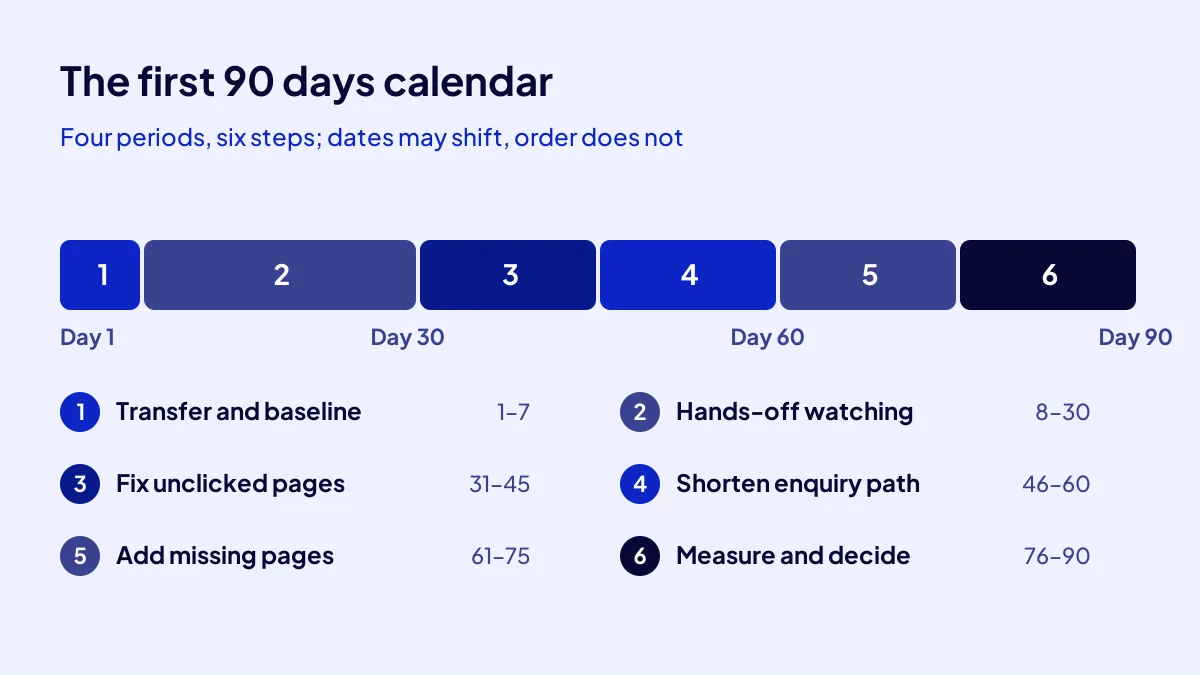
Six steps across four periods: transfer week, watching month, repair and measuring. Each step has a start day, a weekly time load and what it needs. Print the table and tick each step off. Shift the calendar if you must, but keep the order.
| Step | Days | Weekly time | What it needs |
|---|---|---|---|
| 1. Transfer and baseline | 1–7 | 6 hours | Owner access, a spreadsheet |
| 2. Hands-off watching, technical health | 8–30 | 3 hours | PageSpeed Insights, Core Web Vitals report |
| 3. Fix unclicked impressions | 31–45 | 5 hours | Performance report, page edit rights |
| 4. Shorten the enquiry path | 46–60 | 4 hours | Phone, form and message buttons |
| 5. Add missing pages | 61–75 | 6 hours | Query list, a writer or your own pen |
| 6. Measure and decide | 76–90 | 3 hours | The day-1 baseline |
Steps 1 and 2: why do transfer week and the watching month come first?
The first two steps record what you took over in numbers. Without a baseline, on day 90 you cannot tell whether you grew. The watching month teaches the site’s normal rhythm, so a change does not break something that works.
Step 1: Record the baseline (days 1–7, 6 hours, TRY 0)
Copy the last 3 months of clicks, impressions and average position from Search Console, and sessions and enquiries from Analytics, into one sheet. Add the top 10 pages and top 10 queries. This sheet is your day-90 ruler. Record it on the day ownership transfer completes.
Step 2: Check technical health (days 8–30, 3 hours a week, TRY 0)
Open the Core Web Vitals report in Search Console. By Google’s thresholds, a good experience means the largest content loads within 2.5 seconds, interaction delay stays under 200 milliseconds and layout shift scores under 0.1. Note the poor pages, and this month fix only what is broken.
Step 3: how do you fix pages that get impressions but no clicks?
BU BÖLÜMÜN ÖZETİ
- Pull the list (days 31–33)
- Write titles in the searcher’s words (days 34–40)
- Log every change (days 41–45)
A page with impressions but no clicks is like a product in the shop window that nobody walks in for. In the Performance report, find pages with high impressions and low click-through rate, and rewrite their titles and descriptions first. This fix leaves the content alone and aims to turn existing visibility into clicks.
Pull the list (days 31–33)
Sort the Pages tab by impressions. Among the top 20, mark those with a click-through rate below the site average. Usually 5 to 10 pages come out.
Write titles in the searcher’s words (days 34–40)
Check the queries that bring each page. Rewrite the title with those words, promising the answer to the question. Change only the title and description.
Log every change (days 41–45)
One line per change: page, day, what changed. On day 90 it is your record of what worked.
Step 4: how do you shorten the path to an enquiry?
BU BÖLÜMÜN ÖZETİ
- One tap to call
- Cut the form to 3 to 5 fields
- Measure enquiries
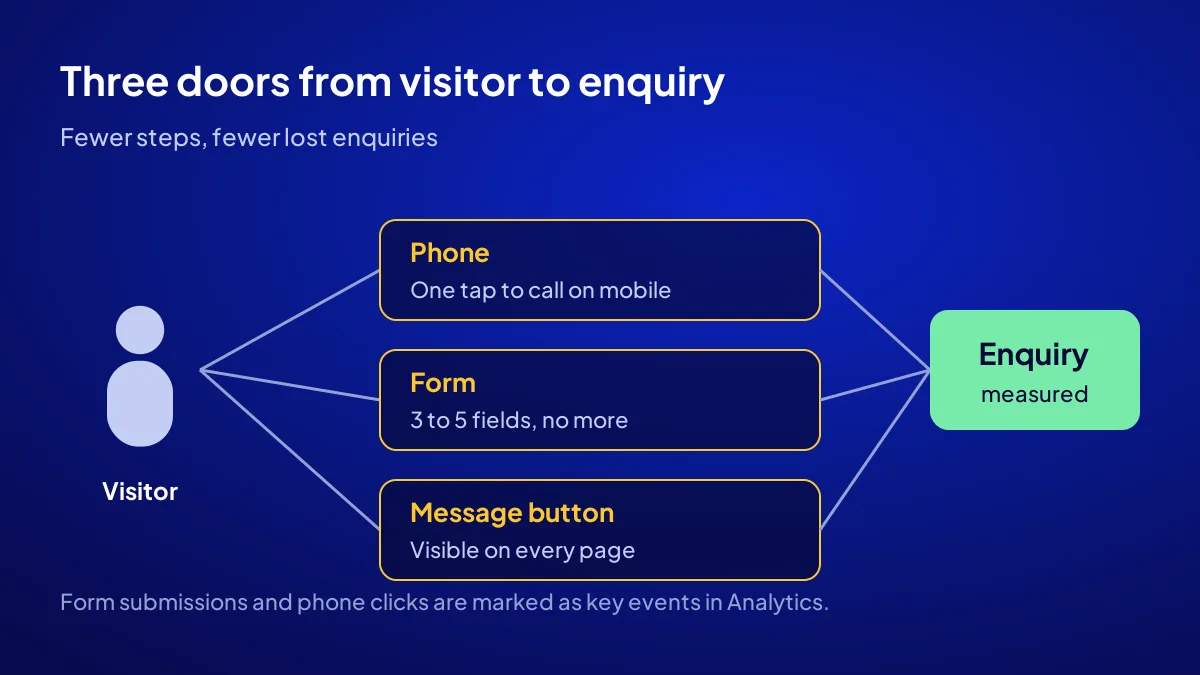
The enquiry path is every step a visitor takes from landing on the site to calling you or sending a form. Fewer steps, fewer lost enquiries. Between days 46 and 60, look at three places: the phone button, the form fields and the message button. If customers are not walking in, first check that the door opens easily.
One tap to call
On mobile, tapping the number should start a call. If the number sits inside an image, rewrite it as plain text with a call link.
Cut the form to 3 to 5 fields
Name, phone and request suit most services. Each extra field invites abandonment.
Measure enquiries
In Analytics, mark form submissions and phone clicks as key events. You cannot grow what you do not measure.
Step 5: which new pages do you add?
New pages are written for queries where the site already gets impressions but has no page that truly answers them. Between days 61 and 75, find those questions in the Queries tab. Write one page each for at most 6 of them. A few complete answers beat many half answers.
Step 6: what do you look at on day 90 to decide?
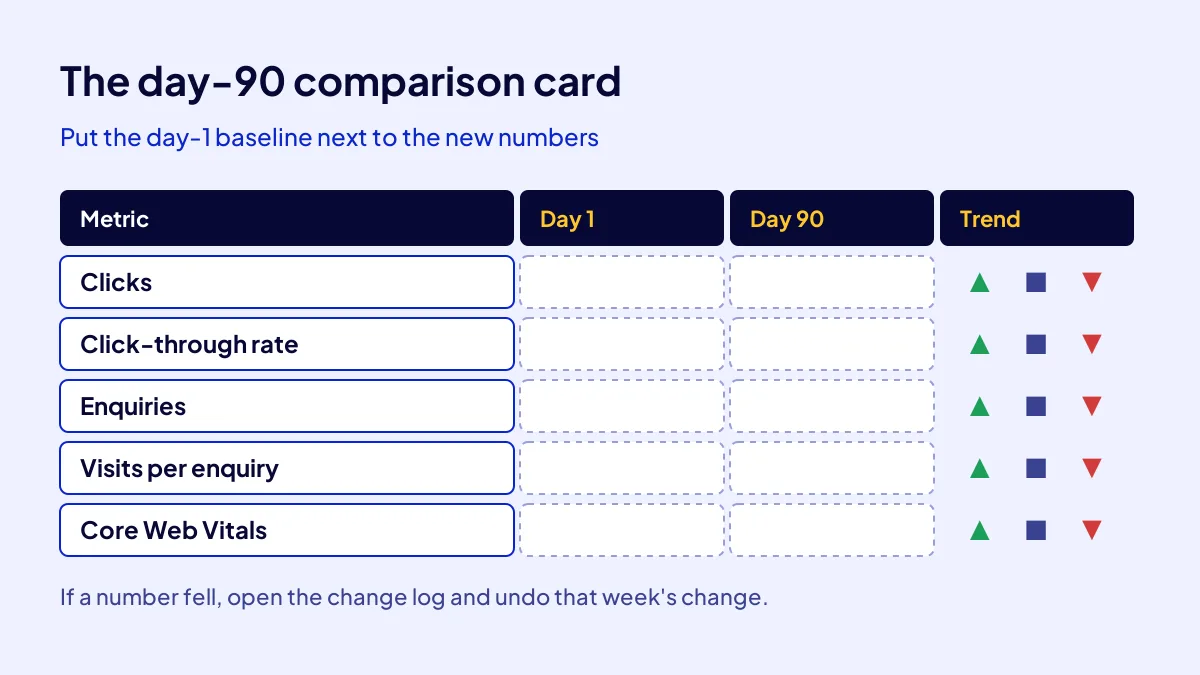
On day 90, put the day-1 baseline next to the new numbers: clicks, click-through rate, enquiries and visits per enquiry. Up, flat or down? Matched against your change log, it shows which step worked and shapes the next 90 days.
Allow for the season
In seasonal trades, a 90-day comparison can mislead. Check the same period last year as well. We explain the case for buying before the season in the best time to buy a website.
If the numbers fell
Open the change log and undo the change made in the week the drop began. When the till stops ringing, look at your last move before blaming the market.
Is there a guarantee: what can you realistically expect from 90 days?
No. Neither this plan nor ASSETOR comes with an earnings guarantee. What the plan gives you is a way to learn the asset without breaking it and to make growth attempts measurable. Results depend on your sector, the season, competition and the time you put in. Decide with your own numbers.
Quick Summary
- Record a baseline in week one; watch hands-off for the first month.
- Core Web Vitals thresholds: 2.5 seconds, 200 milliseconds, 0.1.
- Fix titles of unclicked impressions before touching content.
- One tap to call, 3 to 5 form fields, enquiries measured.
- At most 6 new pages, for queries ranking 10 to 30.
- Compare with the baseline on day 90; there is no earnings guarantee.
Short Glossary
Baseline: A baseline is the set of starting numbers recorded to measure the effect of a change.
Click-through rate: Click-through rate is the percentage used to show how many of a page’s search appearances turn into clicks.
Core Web Vitals: Core Web Vitals are Google’s metrics used to measure a page’s loading, responsiveness and visual stability.
Next Step
The calendar is ready; now pick the asset. Browse the digital assets for sale on ASSETOR and choose the business you will run this 90-day plan on.
Frequently Asked Questions
Source: Google Search Central — Understanding Core Web Vitals and Google search results
Sık Sorulan Sorular
Changes in search results take a few weeks to show. Ninety days is long enough to make a change and see its effect, and short enough to keep your bearings.
The tools are free. Money only enters if you hire outside writing or development help. Get a written quote before starting; do not budget on a guess.
URL structure, page titles and design. Haste makes waste: changing the address of a working page can reset the ranking it has built.
Common mistake: Switching themes in week one. A new theme changes page speed, heading structure and internal links at once. When traffic drops, you cannot tell which change caused it.
Filter queries by question words such as “how”, “how much” and “where”. Queries with an average position between 10 and 30 tend to respond fastest once a matching page exists.
You know your trade best; writing them yourself costs TRY 0. If you hire out, get a written per-page quote and cap it at 6 pages.
The 90 days only go as well as the inspection before the purchase. An unchecked red flag slows down the best plan. For the checks, see how to inspect a site before buying.
Spending without measuring and changing direction every month are what sites that pull the shutters down early have in common. See why online stores fail. For building versus taking over, read buying a ready-made online business.
ASSETOR’s assets are set up, running and collecting demand: Silver TRY 60,000, Gold TRY 90,000, Platinum TRY 180,000. To choose the one you will run this plan on, see the ASSETOR digital assets for sale page.
No. ASSETOR does not guarantee earnings. You take over a set-up, running digital asset that already collects demand; growth depends on the sector, the season, competition and your effort.
To learn the site’s normal rhythm. Without a baseline and a watching month, you cannot tell whether later changes raised traffic. Fix only what is broken that month.
The tools are free and the plan takes about 4 to 6 hours a week. If you hire outside writing or development help, get a written quote before starting.
Updated: October 2026