
How to set up WhatsApp Business: 6 steps and ready-made messages for a new business
The short answer to how to set up WhatsApp Business is six steps: download the app and verify a separate business number, fill in the profile completely, write the greeting and away messages, create quick replies, switch on labels and add a catalog. Each step takes 10 to 30 minutes. WhatsApp’s own getting-started guide also spreads the setup over one week.
In a new business, this line is where customers write to you first. For a shop opening in Istanbul in 2026, the first questions are usually about price, hours and location. Below you will find the time each step takes, what you need and ready-made messages you can copy.
Which number should you start with?
Start with a number that belongs to the business and is used for this work only. WhatsApp’s guide also opens the setup by verifying “a dedicated business phone number”. Use your personal number and the family group lands on the same screen as customer messages, so a midnight order gets mixed up with a cousin’s holiday greeting. A separate line is the cheapest way to keep work and home apart.
Step 1: Number and verification (time: 10 minutes)
What you need: a line that belongs to the business and the phone it sits in. Download the app, enter the number and verify it with the code you receive. The app is free to download; your only cost is the line itself.
If you already have a personal account
One number cannot run on WhatsApp and WhatsApp Business at the same time. If you plan to move your personal number to the business, make that decision knowingly. For a new business, a separate line is always the cleaner start.
Which profile fields must not stay empty?
The profile has seven fields to fill: business name, category, short description, address or service area, opening hours, email and website. Every empty field is a question the customer has to ask before writing to you. The profile is the digital version of the lettering on your shop window; if it is incomplete, customers turn back before they come through the door.
Step 2: Profile (time: 20 minutes)
What you need: a logo or a photo of the shopfront, a one-sentence description and your hours. Write the description with this pattern: “What you do, where, how to reach you.” Example: “Home cooking in Beylikdüzü, same-day delivery, message us to order.”
If you have no shop
Write the districts you serve instead of an address. How the same logic works on Google is explained in what is a service area business.
How do you write greeting and away messages?
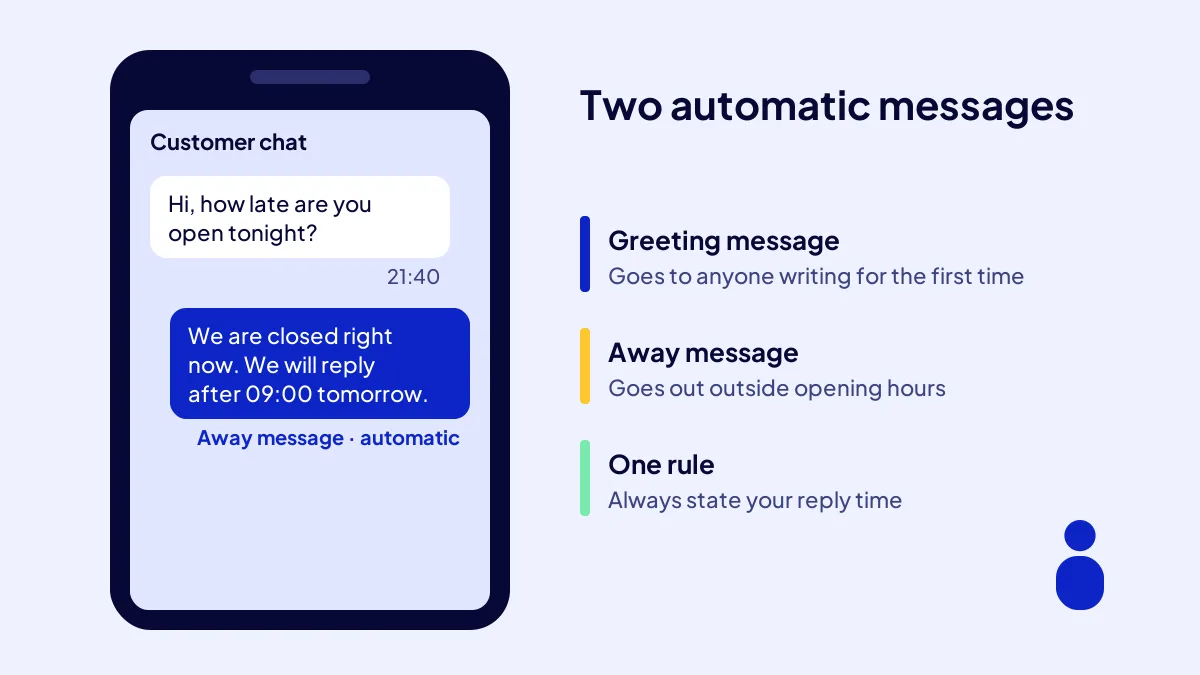
The greeting message goes automatically to someone writing to you for the first time; the away message goes out while you are offline. WhatsApp’s advice is clear: put your expected response time in the away message. “We’ll get back to you” is not enough; give a time. A customer who knows when the reply is coming does not message the shop next door.
Step 3: Two automatic messages (time: 15 minutes)
What you need: your opening hours and your two most asked questions. Greeting: “Hello, welcome to [business name]. Type 1 for our price list, 2 to order.” Away: “We are closed right now. We will reply to your message after 09:00 tomorrow.”
Which 6 quick replies should be ready on day one?
A quick reply links the answer to a common question to a shortcut starting with a slash. WhatsApp suggests at least five; for a new business, set up six. Questions about price, hours, location, delivery, payment and booking make up most of the first week. Six shortcuts save you typing the same answer ten times a day.
Step 4: Quick replies (time: 30 minutes)
What you need: your price list, address or area, and payment options. Fill the table below with your own details and save each row as a shortcut.
| Shortcut | When | Ready-made message |
|---|---|---|
| /price | Asked about price | Our current price list is attached; message us with any questions. |
| /hours | Asked about hours | Open weekdays 09:00–19:00, Saturday 10:00–16:00. |
| /location | Asked where you are | Our location link: [map link]. Our area: [districts]. |
| /delivery | Asked about delivery | Same-day delivery within [district], next day elsewhere. |
| /payment | Asked about payment | We accept cash, card and bank transfer. |
| /booking | Wants to visit | Send us a day and time that suits you and we will hold a slot. |
Keep messages short
No ready-made message should run past two sentences. An answer longer than three lines on a phone screen gets scrolled past unread.
How do labels and the catalog organise your chats?
BU BÖLÜMÜN ÖZETİ
- Step 5: Six labels (time: 10 minutes)
- Step 6: Catalog (time: 30 minutes)
- Linking with social accounts
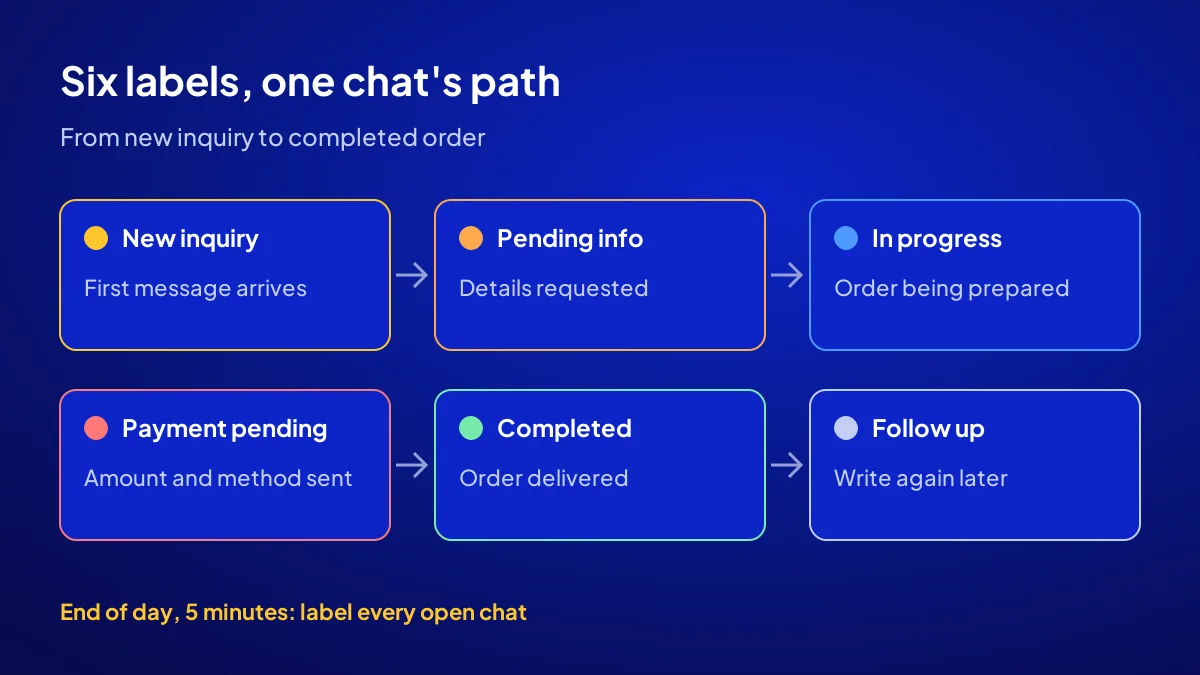
Labels sort chats by sales stage, and the catalog shows products or services with their prices. Together they answer “who asked what, who has paid” without opening a notebook. WhatsApp suggests starting with six labels and 5 to 10 items. For a new business, that is enough.
Step 5: Six labels (time: 10 minutes)
Create these six labels: New inquiry, Pending info, Order in progress, Payment pending, Completed, Follow up. Spend 5 minutes at the end of each day labelling open chats.
Step 6: Catalog (time: 30 minutes)
Add your 6 to 9 best sellers or service packages. Each one gets a name, a price, a short description and a clear photo. Hiding the price means losing the bargain-hunting customer without a single question asked.
Linking with social accounts
Put your WhatsApp number in the contact field of your social profiles too. You can decide which accounts to open with which accounts should I open.
Where should customers see your number?
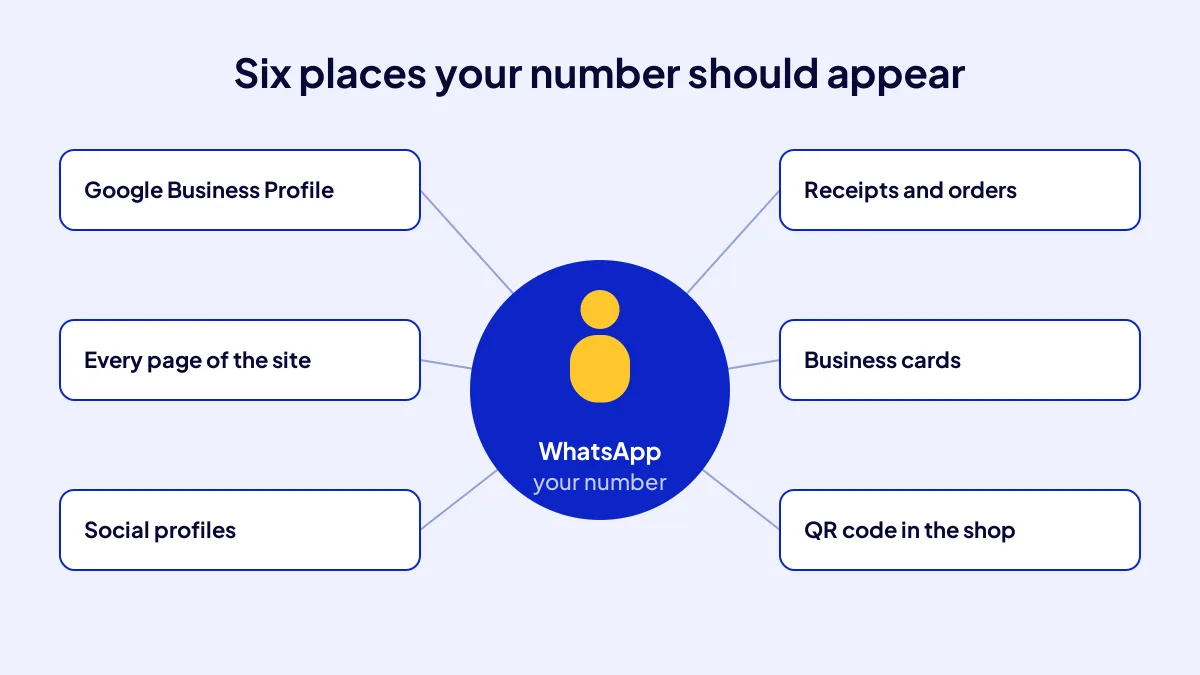
If the line is set up but nobody sees it, the phone stays silent. Put the number in six places: Google Business Profile, every page of the website, social profiles, receipts and order confirmations, business cards and a QR code in the shop. WhatsApp’s guide recommends sharing the number in these same places. On the site, use a link that opens a chat with a single tap.
Common mistake: setting up the line and putting the number only in the Instagram bio. Customers arriving from the map, the site or the shop sign cannot find it, and the till stays quiet. Fix: check all six places one by one on handover day.
Where it sits in the setup
The WhatsApp line falls on day 5 of a new business’s 30-day setup. The full order is in a new business’s first 30 days. Why opening online comes first is explained in open online before you open a shop.
Checklist
- The line belongs to the business and is verified.
- All seven profile fields are filled.
- The away message gives a reply time.
- Six quick replies are saved.
- Six labels are on, the catalog has at least 6 items.
- The number shows in six places.
Quick Summary
- Start with a separate number that belongs to the business.
- Fill in all seven profile fields.
- Put your reply time in the away message.
- Set up six quick replies and six labels.
- Show your 6 to 9 best sellers in the catalog with prices.
- Make the number visible in six different places.
Short Glossary
Quick reply: A quick reply is a WhatsApp Business feature used to send a saved answer to a common question through a slash shortcut.
Label: A label is a coloured tag used to sort and follow chats by sales stage.
Catalog: A catalog is the showcase section used to display products and services with name, price and photo inside the chat.
Next Step
You can set up the line yourself or have it done in one place along with the whole digital setup. Apply to the Start a Business Online campaign and get your name and plan proposal.
Frequently Asked Questions
Source: WhatsApp Business — Onboarding 101: Setting yourself up for success on the WhatsApp Business app
Sık Sorulan Sorular
The simplest setting is outside opening hours. Customers keep writing after the shutters come down; a clear reply at that hour means you do not lose the first job of the morning.
In the Start a Business Online campaign, WhatsApp Business setup is included in the fixed TRY 36,000 + VAT price, together with the site, Google Business Profile, 3 social accounts and 108 articles. For details, see the Start a Business Online for TRY 36,000 campaign page.
Domain suggestion, domain and 1 year of hosting, a 6 main plus 12 sub page site, 108 articles, 3 social accounts, Google Business Profile, GA4 and Search Console, WhatsApp Business setup, structured data, an AI-SEO Diagnosis Card and a handover video. The price excludes VAT; with 20 percent VAT it comes to TRY 43,200, so check the current rate on the invoice.
The app is free to download. Your cost is the business line itself. In the campaign, the setup work is included in the package.
Yes. In the profile, you write the area you serve instead of an address. In the campaign too, a business without a shop appears with a service area.
Updated: October 2026